

Meta Title: How to Protect Your Social Media Accounts in 2026 | Security Guide
Meta Description: Learn how to protect your social media accounts from hackers, scams, phishing, and unauthorized access using strong passwords, 2FA, privacy settings, and security tips.
Focus Keyword: how to protect your social media accounts
Secondary Keywords: social media security, protect social media account, social media privacy, prevent social media hacking, account security tips, Facebook security, Instagram security, TikTok security, online safety
Suggested URL Slug:/how-to-protect-your-social-media-accounts/
Introduction
Social media has become an important part of everyday life. People use platforms such as Facebook, Instagram, TikTok, YouTube, X, LinkedIn, and other services to communicate, share photos and videos, promote businesses, build personal brands, find opportunities, and stay connected with friends and family.
But social media accounts also contain valuable information.
Your account may include:
- Personal photos
- Private messages
- Email addresses
- Phone numbers
- Contacts
- Business information
- Payment details
- Advertising accounts
- Saved login information
- Private conversations
If an account is compromised, the consequences can go beyond losing access to a profile. An attacker could impersonate you, send scam messages to your contacts, publish unauthorized content, access private information, or use the account to target other people.
The good news is that protecting your social media accounts doesn’t require advanced technical knowledge.
A few simple habits can significantly improve your security.
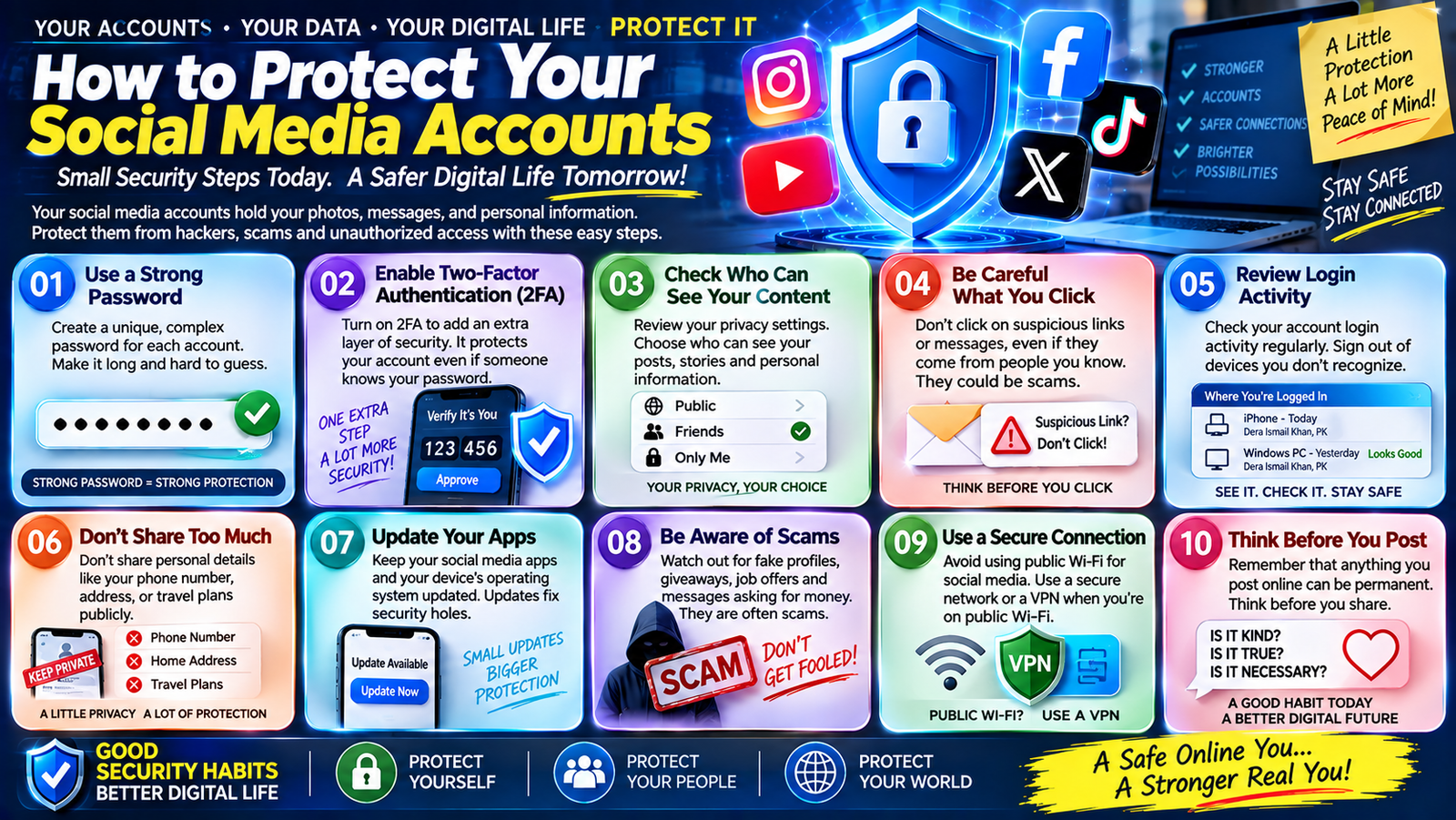
In this guide, you’ll learn how to protect your social media accounts, how to create stronger login security, how to recognize suspicious activity, how to use privacy settings, how to avoid phishing, and what to do if you believe your account has been compromised.
Why Social Media Security Matters
Many people think social media accounts aren’t important because they don’t contain financial information.
That’s not always true.
A social media account can have significant personal or business value.
For example, a creator may use an Instagram or TikTok account to communicate with customers. A business may depend on Facebook or LinkedIn for marketing. A person may use social media for professional networking.
Attackers may target accounts because they can be used to:
- Scam followers
- Spread malicious links
- Steal personal information
- Impersonate the owner
- Access connected services
- Damage a person’s reputation
- Promote fraudulent offers
- Take control of business pages
Protecting your social media account is therefore part of protecting your digital identity.
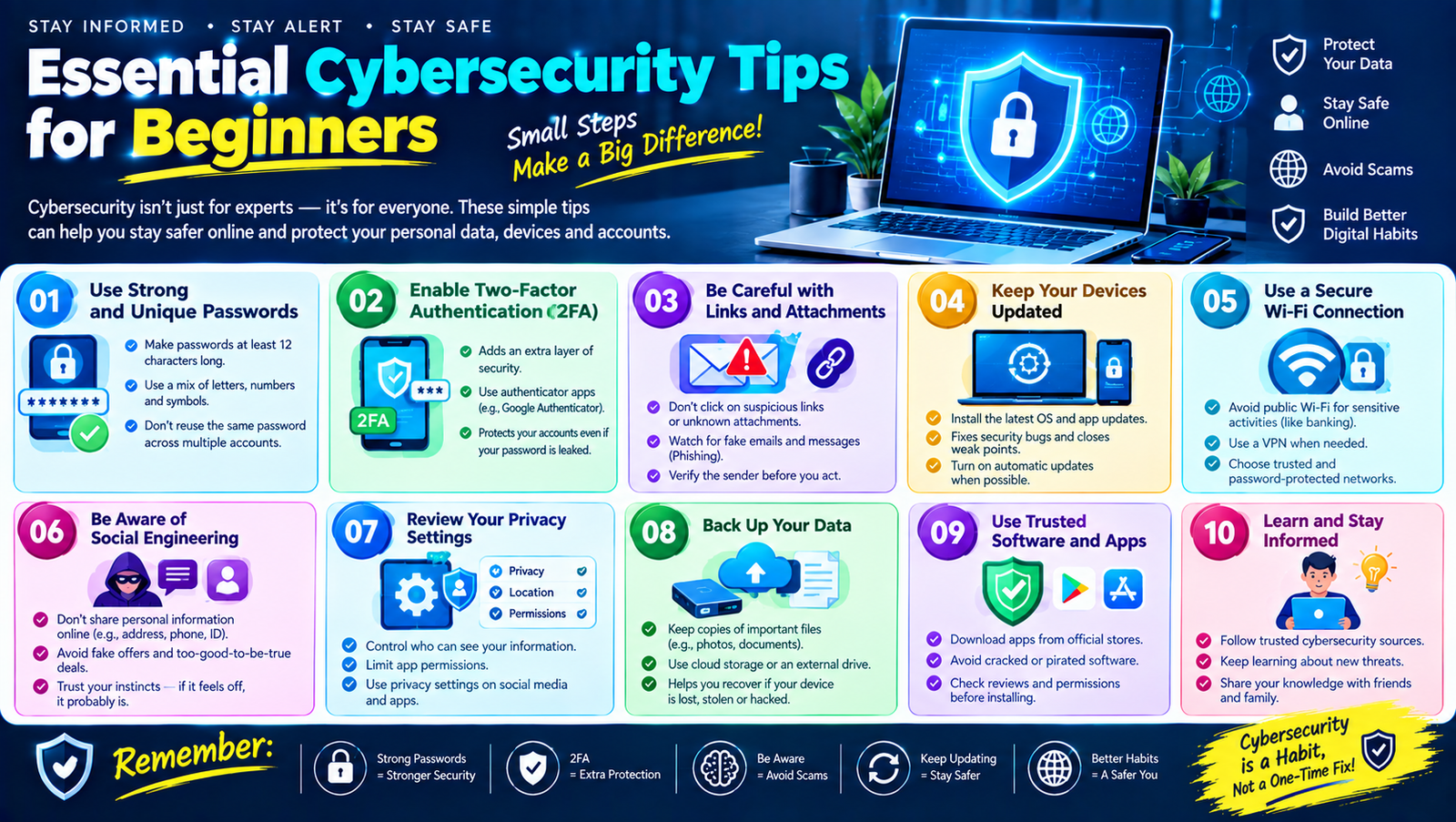
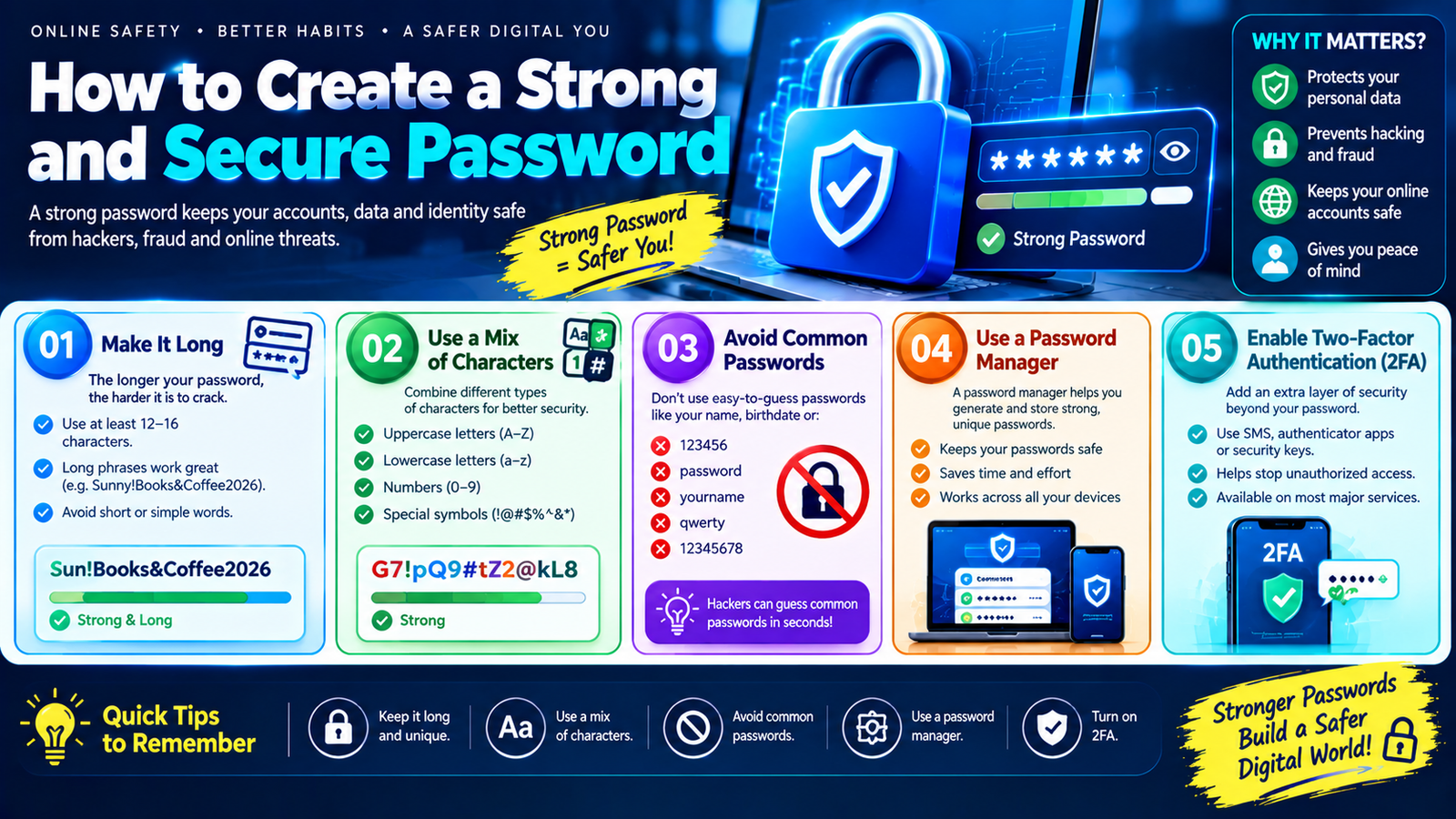
1. Use a Strong and Unique Password
Your password is one of the first barriers protecting your account.
Avoid simple passwords such as:
123456passwordqwerty123456789- Your name
- Your birthday
- Your phone number
A strong password should be:
- Long
- Unique
- Difficult to guess
- Unrelated to personal information
Most importantly, don’t use the same password across multiple social media platforms.
For example, don’t use one password for Facebook, Instagram, TikTok, and your email account.
If one password is exposed, attackers may try it on other accounts.
A password manager can help you create and store unique passwords for different services.
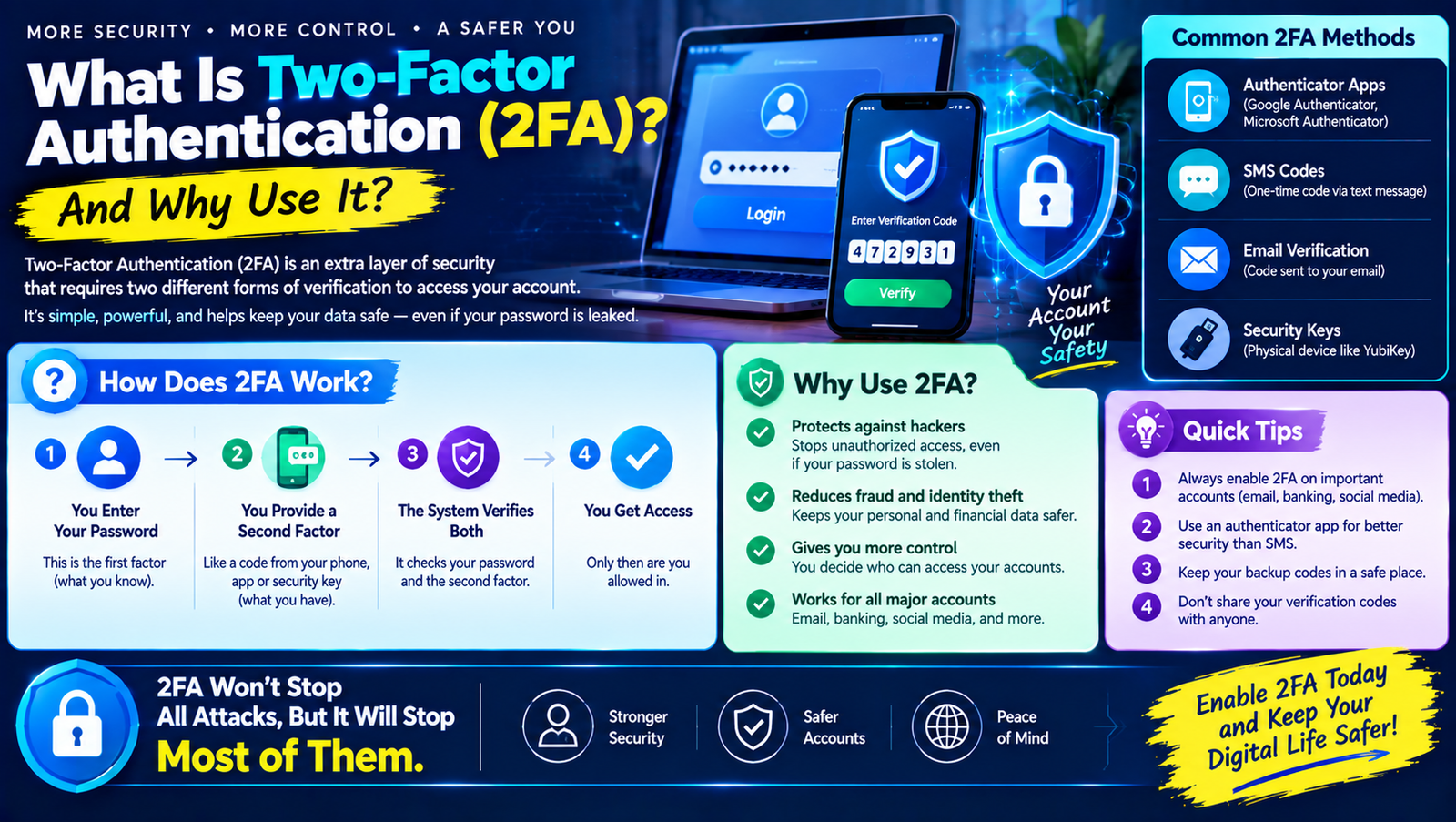
2. Enable Two-Factor Authentication
Two-factor authentication, or 2FA, adds another layer of security to your account.
Instead of relying only on your password, the service asks for an additional verification step.
Depending on the platform, this could involve:
- Authenticator app
- Security key
- Verification code
- Passkey
- Login approval
- Another supported authentication method
The benefit is straightforward.
If someone obtains your password, they may still need the second authentication factor to access your account.
Where Should You Enable 2FA?
Start with:
- Primary email
- TikTok
- YouTube/Google account
- X
- Business and advertising accounts
The exact options vary by platform, so use the security settings provided by each service.
3. Protect Your Email Account
Your email account deserves special attention.
Why?
Because your email may be connected to your social media accounts and can often be used for password recovery.
Imagine someone gains access to your email.
They may attempt to:
- Reset your social media password.
- Receive the reset email.
- Change your social media password.
- Take control of your account.
This means your email account can effectively act as a security key for many other online services.
Use a strong, unique password and enable MFA or 2FA on your primary email account.
4. Don’t Share Verification Codes
One of the most important social media security rules is simple:
Never share your login verification code with someone who contacts you unexpectedly.
A scammer might say:
“I’m from account support. Please send me the code you just received.”
That code could allow them to complete a login or account-recovery process.
Your verification codes should be treated as sensitive information.
If someone asks for one, stop and verify the request through the platform’s official support channels.
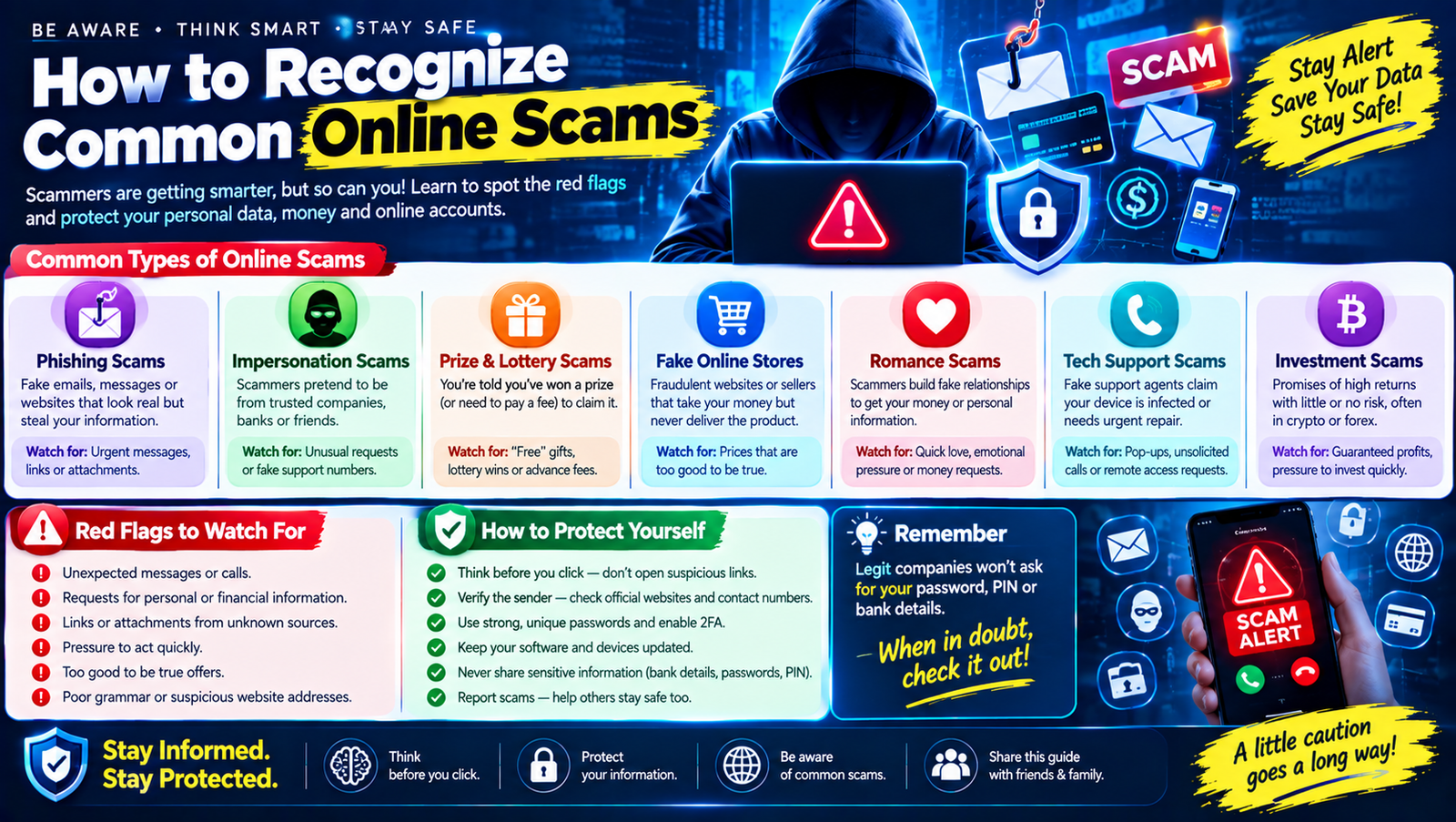
5. Watch Out for Phishing Messages
Phishing is a common method used to steal social media credentials.
A phishing message might say:
“Your account violated our rules. Click here to appeal.”
The link may lead to a fake login page.
The page could look very similar to the legitimate platform.
You enter:
- Password
- Verification code
The attacker receives the information.
How to Protect Yourself
Don’t automatically trust messages that:
- Threaten account closure
- Demand immediate action
- Ask you to verify your password
- Contain suspicious links
- Promise special account benefits
- Claim your account has been hacked
- Ask for verification codes
If you need to check your account, open the official application or website directly.
6. Check the Website Address Carefully
Before entering login information, check the website address.
Attackers may create domains that look similar to legitimate websites.
For example, a fake domain might use:
- Extra characters
- Misspellings
- Unusual extensions
- Additional words
- Look-alike characters
A website can look professional and still be fraudulent.
Don’t judge a website only by its design.
Check the actual domain and make sure you’re using the official service.
7. Review Your Active Login Sessions
Many social media platforms allow you to see devices and locations where your account is currently signed in.
Review these sessions periodically.
Look for:
- Unknown phones
- Unknown computers
- Unexpected locations
- Unfamiliar browsers
- Sessions you don’t remember starting
If you see something suspicious, use the platform’s security tools to sign out the unfamiliar session and change your password.
If you suspect unauthorized access, also review your account’s recovery information and security settings.
8. Turn On Login Alerts
Some platforms can notify you when a new device or unusual login is detected.
These alerts can help you notice suspicious activity quickly.
If you receive an alert for a login you didn’t make:
- Don’t ignore it.
- Check the account’s active sessions.
- Change your password if appropriate.
- Enable or review 2FA.
- Check recovery information.
- Review recent account activity.
Fast action can reduce the potential impact of unauthorized access.
9. Review Privacy Settings
Account security and privacy are related but not identical.
Security protects access to your account.
Privacy controls determine who can see certain information.
Review your platform’s privacy settings and consider who should be able to see:
- Email address
- Phone number
- Birth date
- Location
- Friends/followers
- Photos
- Posts
- Stories
- Contact information
You don’t necessarily need to make everything private.
Instead, think carefully about what information you want publicly available.
10. Be Careful About What You Post
Information posted publicly can sometimes be used against you.
Avoid unnecessarily sharing sensitive details such as:
- Home address
- Travel plans
- Identification documents
- Financial information
- Private phone numbers
- Password hints
- Security-question answers
For example, posting that you’re away from home for two weeks may reveal useful information to strangers.
Think before posting:
“Would I be comfortable if someone I don’t know saw this?”
If the answer is no, consider changing the audience or not posting it.
11. Don’t Accept Every Friend or Follow Request
A large follower count can look impressive, but not every account is genuine.
Fake accounts may be created to:
- Send phishing links
- Promote scams
- Collect personal information
- Impersonate others
- Build relationships before attempting fraud
Before accepting a request, look at:
- Profile age
- Photos
- Posts
- Mutual connections
- Account activity
- Username
- Profile information
Be particularly cautious when a new account immediately sends suspicious links or asks personal questions.
12. Be Careful With Direct Messages
Social media direct messages can be used for phishing and scams.
A message may say:
“You won a prize!”
or:
“Your account has a copyright problem. Click this link.”
or:
“I need your help urgently.”
Don’t assume a direct message is legitimate simply because it appears inside a social media application.
Verify important requests through another channel.
13. Protect Business and Creator Accounts
If you use social media for business, security becomes even more important.
Your account may control:
- Advertising campaigns
- Customer communication
- Business pages
- Brand reputation
- Revenue
- Marketing data
- Multiple employees
Consider using:
- Strong unique passwords
- MFA
- Separate employee access
- Appropriate permissions
- Recovery procedures
- Login alerts
- Regular access reviews
Don’t give everyone administrator-level access if they don’t need it.
Use the minimum access necessary for each person’s role.
14. Be Careful With Third-Party Apps
You may have connected other applications to your social media account.
For example:
- Photo editors
- Scheduling tools
- Games
- Analytics services
- Marketing applications
- Other productivity tools
Over time, you may accumulate connections that you no longer use.
Review connected applications periodically.
If an application no longer needs access, consider removing its permissions through the relevant platform’s account settings.
Only connect apps you trust.
15. Don’t Install Suspicious Browser Extensions
Browser extensions can be useful, but they may have access to information on websites you visit depending on the permissions they request.
Avoid installing extensions from unknown sources.
Before installing an extension, consider:
- Who developed it?
- Is it still maintained?
- What permissions does it request?
- Does it have a legitimate purpose?
- Do you actually need it?
Remove extensions you no longer use.
16. Keep Your Phone and Computer Updated
Security isn’t only about your social media password.
The device you use to access your account also matters.
Keep your:
- Operating system
- Browser
- Social media apps
- Security software
- Other important applications
updated.
Updates may include security fixes that protect against known vulnerabilities.
Don’t ignore important security updates simply because an older version still works.
17. Use a Screen Lock
If your social media accounts are signed in on your phone, your phone itself becomes an important security layer.
Use a screen lock such as:
- PIN
- Password
- Fingerprint
- Face authentication
Avoid leaving your phone unlocked where strangers can access it.
A strong social media password won’t help much if someone can physically access an unlocked device that already has your accounts signed in.
18. Be Careful on Shared Computers
Avoid signing into sensitive social media accounts on public or shared computers when possible.
If you must use one:
- Don’t save your password
- Don’t enable automatic login
- Sign out completely
- Close the browser
- Avoid downloading sensitive files
- Don’t leave your account open
Remember that you may not know what software is installed on a public computer.
For important accounts, your personal and trusted device is generally preferable.
19. Avoid Suspicious Wi-Fi Networks
Public Wi-Fi can be convenient, but don’t automatically trust every network.
Be cautious when connecting to:
- Unknown hotspots
- Fake-looking networks
- Networks without clear ownership
- Wi-Fi that requires suspicious login pages
Avoid performing sensitive activities on networks you don’t trust.
If you are using public Wi-Fi, pay extra attention to website addresses and security warnings.
20. Recognize Fake Social Media Support
Scammers sometimes pretend to be platform employees.
They may contact you through:
- Direct messages
- Comments
- Fake support accounts
They might say:
“Your account will be permanently disabled unless you verify it now.”
Then they ask for your password or verification code.
Don’t trust unsolicited “support” messages.
Use the platform’s official help center or account-support tools.
21. Beware of Fake Giveaways
Social media giveaways can attract scammers.
A fake account may imitate a popular creator or company and announce:
“Congratulations! You won. Send a processing fee to claim your prize.”
Be suspicious if you are asked to:
- Pay money to receive a prize
- Provide banking information
- Share a verification code
- Click a suspicious link
- Send cryptocurrency
- Provide your account password
Verify giveaways through the official creator or company’s account.
22. Don’t Overshare Personal Information
Cybersecurity isn’t only about preventing hackers from logging in.
Personal information can also be used for social engineering.
Avoid publicly sharing too many details about:
- Family members
- Birthdays
- Schools
- Workplace
- Daily routine
- Home location
- Travel plans
- Security questions
The more information an attacker has about you, the easier it may be to create convincing messages.
23. Protect Your Recovery Information
Account recovery options are extremely important.
Check that your:
- Recovery email
- Phone number
- Backup codes
- Trusted devices
are current and under your control.
An outdated recovery email could create problems if you lose access to your account.
At the same time, make sure recovery information itself is protected with strong authentication.
24. What to Do If Your Social Media Account Is Hacked
If you think your account has been compromised, act quickly.
Step 1: Try to Sign In
If you still have access, open the account’s security settings.
Step 2: Change Your Password
Create a new, unique password.
Step 3: Sign Out Unknown Devices
Remove unfamiliar sessions.
Step 4: Enable or Review 2FA
Make sure the attacker hasn’t changed your authentication settings.
Step 5: Check Recovery Information
Look for unfamiliar email addresses or phone numbers.
Step 6: Review Recent Activity
Check for:
- New posts
- Messages
- Profile changes
- New followers
- Connected applications
Step 7: Warn Your Contacts
If the account sent suspicious messages, tell your friends or followers not to click them.
Step 8: Use Official Account Recovery
If you’ve lost access completely, use the platform’s official recovery process.
25. What If Someone Is Impersonating You?
Account takeover isn’t the only problem.
Someone may create a fake profile using your:
- Name
- Photos
- Bio
- Business information
They might contact your friends or followers.
If this happens:
- Report the impersonating account through the platform.
- Ask trusted contacts to report it where appropriate.
- Save screenshots and relevant evidence.
- Warn your contacts.
- Strengthen your own account security.
- Avoid communicating with the impersonator unnecessarily.
Use the platform’s official reporting procedures.
Social Media Security Checklist
Use this checklist to review your accounts:
| Security Task | Status |
|---|---|
| Strong unique password | ☐ |
| Two-factor authentication | ☐ |
| Email account secured | ☐ |
| Login alerts enabled | ☐ |
| Active sessions reviewed | ☐ |
| Privacy settings checked | ☐ |
| Recovery information updated | ☐ |
| Unknown apps removed | ☐ |
| Device software updated | ☐ |
| Suspicious followers removed | ☐ |
| Backup codes stored securely | ☐ |
| Phishing awareness | ☐ |
You don’t have to complete everything in one day.
Start with your most important account.
A Simple Social Media Security Routine
A good security routine doesn’t need to take hours.
Once a Month
Check:
- Active login sessions
- Connected applications
- Account recovery information
- Recent security alerts
Every Few Months
Review:
- Privacy settings
- Followers
- Administrator access
- Old devices
- Unused third-party apps
Whenever Something Suspicious Happens
Immediately:
- Stop clicking links
- Review account activity
- Change your password if needed
- Check 2FA
- Contact official support if necessary
10 Golden Rules for Social Media Security
If you want a simple summary, remember these rules:
- Use a unique password for every important account.
- Enable 2FA or MFA.
- Protect your email account.
- Never share verification codes.
- Don’t click suspicious links.
- Review active login sessions.
- Keep your phone and computer updated.
- Limit unnecessary personal information.
- Remove unused third-party applications.
- Use official support channels when something goes wrong.
Frequently Asked Questions
How can I protect my social media account from hackers?
Use a strong unique password, enable 2FA or MFA, protect your email account, avoid phishing links, review active sessions, and keep your devices updated.
Can someone hack my account if they know my username?
Knowing your username alone normally isn’t enough to access an account, but it can help an attacker target you with phishing or other attacks. Protect the password and authentication factors.
Should I use the same password for all social media accounts?
No. Each important account should have its own unique password.
Is two-factor authentication necessary for social media?
It is an important additional security layer and should be enabled where available, particularly for accounts containing valuable personal or business information.
How do I know if someone logged into my account?
Many platforms provide security pages showing active sessions, devices, or recent login activity. Review these regularly.
What should I do if I receive a suspicious social media message?
Don’t click its links or share sensitive information. Verify the claim independently through the platform’s official app or website.
Should my social media profile be private?
That depends on how you use the platform. Personal users may prefer more restrictive privacy settings, while creators and businesses may intentionally keep some information public. The important point is to understand what you’re sharing.
Can a fake social media support account hack me?
A fake support account may attempt to trick you into revealing passwords, verification codes, or other information. Use official support channels instead.
What should I do if my account sends spam messages without me?
Treat it as a possible security issue. Change your password, review active sessions, check connected applications, enable 2FA, and investigate the platform’s account-security tools.
How often should I review social media security?
A quick monthly check of active sessions, security alerts, and connected applications is a useful habit. Review your settings immediately whenever you notice suspicious activity.
Final Thoughts
Learning how to protect your social media accounts doesn’t require complicated technical skills.
The most important step is to build several layers of protection.
Start with a strong, unique password. Add two-factor authentication. Protect your email account because it may control password recovery. Be careful with links and direct messages. Never share verification codes. Review active sessions and connected applications regularly.
Privacy is important too.
Think carefully about how much personal information you publish publicly. Details about your location, family, workplace, travel plans, or daily routine can sometimes make social engineering easier.
If you manage a business or creator account, take additional precautions. Use appropriate permissions, limit administrator access, and make sure everyone with account access follows basic security practices.
Finally, remember that social media security is an ongoing process rather than a one-time task.
New scams and attack methods appear regularly, but the basic principles remain useful:
Use strong authentication. Protect your personal information. Verify suspicious requests. Keep your devices updated. And slow down whenever something doesn’t feel right.
A few minutes spent improving your account security today can help protect your digital identity, personal information, and online presence in the future.

Leave a Reply