

Meta Title: How to Recognize Common Online Scams in 2026 | Cybersecurity Guide
Meta Description: Learn how to recognize common online scams, identify warning signs, avoid phishing and fake websites, and protect your money, accounts, and personal information online.
Focus Keyword: how to recognize common online scams
Secondary Keywords: common online scams, online scam warning signs, how to avoid online scams, phishing scams, internet scams, online fraud prevention, cybersecurity for beginners, scam protection
Suggested URL Slug:/how-to-recognize-common-online-scams/
Introduction
The internet has made everyday life easier. We can shop online, communicate with friends, work remotely, manage finances, learn new skills, and access services from almost anywhere.
But the same convenience has also created opportunities for scammers.
Online scams can appear in many forms. A scam might arrive as an email, text message, social media message, phone call, advertisement, fake website, job offer, investment opportunity, or even a message from someone pretending to be a friend.
Some scams are easy to identify. Others can look surprisingly professional.
Scammers often use urgency, fear, curiosity, attractive offers, or emotional pressure to encourage people to act before thinking carefully.
The good news is that you don’t need to be a cybersecurity expert to recognize many common scams.
You can significantly improve your online safety by learning the common warning signs, slowing down before making important decisions, checking information independently, and avoiding requests for sensitive information through suspicious channels.
This guide explains how to recognize common online scams, how different scams work, what warning signs to look for, and what to do if you think you’ve encountered a scam.
What Is an Online Scam?
An online scam is a deceptive attempt to trick someone into giving away money, personal information, account access, or something else of value.
Scammers may pretend to be:
- Banks
- Government agencies
- Delivery companies
- Employers
- Friends or family members
- Technology companies
- Online stores
- Social media platforms
- Customer support representatives
- Investment professionals
- Romantic partners
The goal can vary.
A scammer might want:
- Your password
- Your verification code
- Your bank information
- Your credit card details
- Your identity information
- Access to your computer
- Cryptocurrency
- Gift cards
- Direct payments
- Personal documents
Understanding the goal behind a scam can help you recognize suspicious behavior.
Why Online Scams Are So Effective
Scammers don’t necessarily need sophisticated technology to deceive someone.
They often rely on human psychology.
Fear
“You have an unpaid bill. Your account will be closed today.”
Urgency
“Act within the next 10 minutes.”
Curiosity
“Someone posted a private photo of you.”
Greed
“You’ve won a huge prize.”
Authority
“This is the security department.”
Trust
“Your friend needs help.”
Opportunity
“We are hiring people for high-paying remote work.”
These emotional triggers can cause people to react quickly rather than verify the situation.
One of the most useful anti-scam habits is therefore simple:
Slow down when a message makes you feel pressured.
Common Warning Signs of an Online Scam
Although scams can look different, many share similar characteristics.
Look out for:
- Unexpected contact
- Extreme urgency
- Requests for passwords
- Requests for verification codes
- Requests for money
- Unusual payment methods
- Suspicious links
- Poor or unusual website addresses
- Promises that sound unrealistic
- Pressure to keep the situation secret
- Requests to move conversations to another platform
- Threats or intimidation
- Requests for remote computer access
One warning sign doesn’t automatically prove something is a scam.
However, several warning signs appearing together should make you stop and verify the situation independently.
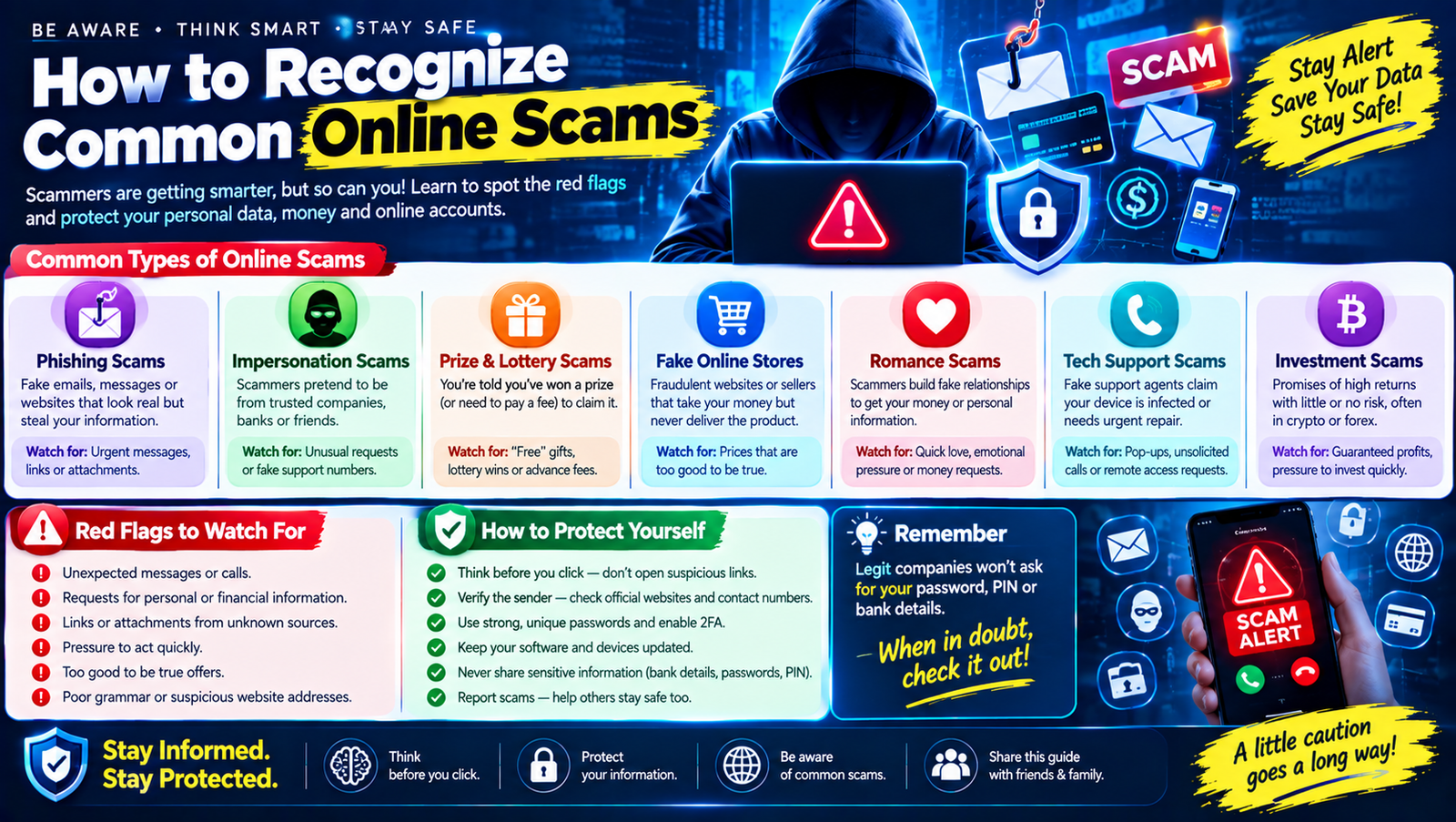
1. Phishing Scams
Phishing is one of the most common forms of online deception.
A phishing message attempts to make you believe that it comes from a legitimate organization or person.
For example, you might receive an email saying:
“Your account has been locked. Click here to verify your identity.”
The link may lead to a fake website designed to steal your login information.
Phishing can happen through:
- SMS
- Social media
- Messaging apps
- Fake websites
- Search advertisements
- QR codes
How to Recognize Phishing
Look for:
- Unexpected messages
- Suspicious links
- Urgent language
- Requests for passwords
- Requests for verification codes
- Unusual sender addresses
- Misspellings or strange wording
- Website addresses that don’t match the real organization
When in doubt, don’t use the link in the message.
Instead, open the organization’s official website or application directly.
2. Fake Bank Messages
Financial scams deserve special attention.
You may receive a message claiming:
“Your bank account has been suspended.”
The message may ask you to click a link and enter:
- Username
- Password
- Card number
- PIN
- Verification code
The website might look almost identical to the real banking website.
Never assume a message is legitimate simply because it uses your bank’s logo.
If you’re concerned about your account, contact your bank through its official website, app, phone number, or branch.
3. Fake Customer Support Scams
Another common scam involves fake customer service representatives.
A scammer may contact you and say:
“We detected suspicious activity on your account.”
They may then ask you to:
- Confirm your password
- Provide a verification code
- Install software
- Give remote access
- Transfer money
- Pay a “security fee”
Be especially careful with unexpected technical-support messages.
If you need support, find the company’s official support page yourself rather than trusting contact information provided by an unsolicited message.
4. Online Shopping Scams
Fake online stores can advertise products at unusually low prices.
For example:
“Latest smartphone — 80% OFF — Today Only!”
The website may use professional-looking product photos and fake reviews.
Warning signs include:
- Prices that seem unrealistic
- New or unknown websites
- Missing contact information
- Poor return policies
- No clear business details
- Strange payment methods
- Pressure to pay immediately
- Copy-pasted product descriptions
Before purchasing from an unfamiliar store, research the business independently.
Search for the company’s name and look for credible information about its reputation and contact details.
5. Fake Job Scams
Job scams have become a major concern for people looking for remote work or online earning opportunities.
A scammer may advertise:
- Work-from-home jobs
- Easy data entry
- High-paying online work
- Social media jobs
- Product-review jobs
- Typing jobs
- Freelancing opportunities
Some fake employers ask applicants to pay money before receiving work.
Others may request personal documents or banking information too early in the process.
Warning Signs
Be careful when a job:
- Guarantees unusually high income for little work
- Requires an upfront payment
- Asks you to buy expensive equipment from a specific seller
- Requests sensitive financial information immediately
- Uses only unofficial communication
- Avoids a normal interview process
- Pressures you to act quickly
A legitimate job opportunity should be evaluated based on the company, role, responsibilities, compensation structure, and hiring process—not just an attractive income promise.
6. Investment and Cryptocurrency Scams
Investment scams often promise unusually high returns with little or no risk.
Examples might include:
- “Guaranteed daily profit”
- “Risk-free investment”
- “Double your money”
- “Secret trading system”
- “Guaranteed cryptocurrency returns”
Real investments involve risk.
Be suspicious when someone promises guaranteed large profits and pressures you to send money quickly.
Scammers may also create fake dashboards showing fictional profits.
The numbers displayed on a website do not prove that the money actually exists or can be withdrawn.
Before investing, independently verify the company, platform, registration status where relevant, and withdrawal conditions.
7. Romance and Relationship Scams
Romance scams use emotional relationships to manipulate victims into sending money or personal information.
A scammer may spend weeks or months building trust.
Eventually, they may claim to have an emergency such as:
- Medical expenses
- Travel problems
- Family emergency
- Lost documents
- Business problems
They then ask for money.
Warning signs can include:
- The person always avoids meeting in person
- Their identity is difficult to verify
- Their story contains inconsistencies
- They quickly become emotionally intense
- They ask for money
- They ask you to keep the relationship secret
Be extremely cautious about sending money to someone you’ve only met online.
8. Prize and Lottery Scams
“You’ve won!”
Sounds exciting, but unexpected prize messages can be scams.
A scammer might say you won:
- Cash
- A car
- A smartphone
- A vacation
- A gift card
Then they may ask you to pay:
- Taxes
- Processing fees
- Delivery charges
- Registration fees
A simple rule is useful:
If you don’t remember entering a competition, be suspicious of a message saying you won it.
Never send money simply because someone claims you’ve won a prize.
9. Government Impersonation Scams
Scammers sometimes pretend to represent government agencies.
They may threaten you with:
- Arrest
- Fines
- Account closure
- Legal action
- Immigration problems
- Tax penalties
The goal is to create panic.
They may demand immediate payment through unusual methods.
If someone claims to represent a government agency, independently find the agency’s official contact details and verify the claim.
Don’t rely on the phone number, link, or email address provided by the suspicious message.
10. Delivery and Parcel Scams
You may receive a message claiming:
“Your package could not be delivered. Pay a small fee to reschedule delivery.”
The requested amount might be small, which makes the message seem harmless.
But the link could lead to a fake payment page designed to collect your card information.
If you’re expecting a package, check the delivery status through the official retailer or courier website.
Don’t automatically trust a message simply because it mentions a package you may be waiting for.
11. Tech Support Scams
A pop-up might suddenly appear saying:
“WARNING! Your computer is infected. Call support immediately.”
Don’t panic.
Scammers may use fake security alerts to convince people to call a phone number.
They may then ask for:
- Remote access
- Payment
- Passwords
- Software installation
Real security warnings from your operating system or security software should be handled through trusted settings and official support channels.
Don’t call random numbers displayed in suspicious pop-ups.
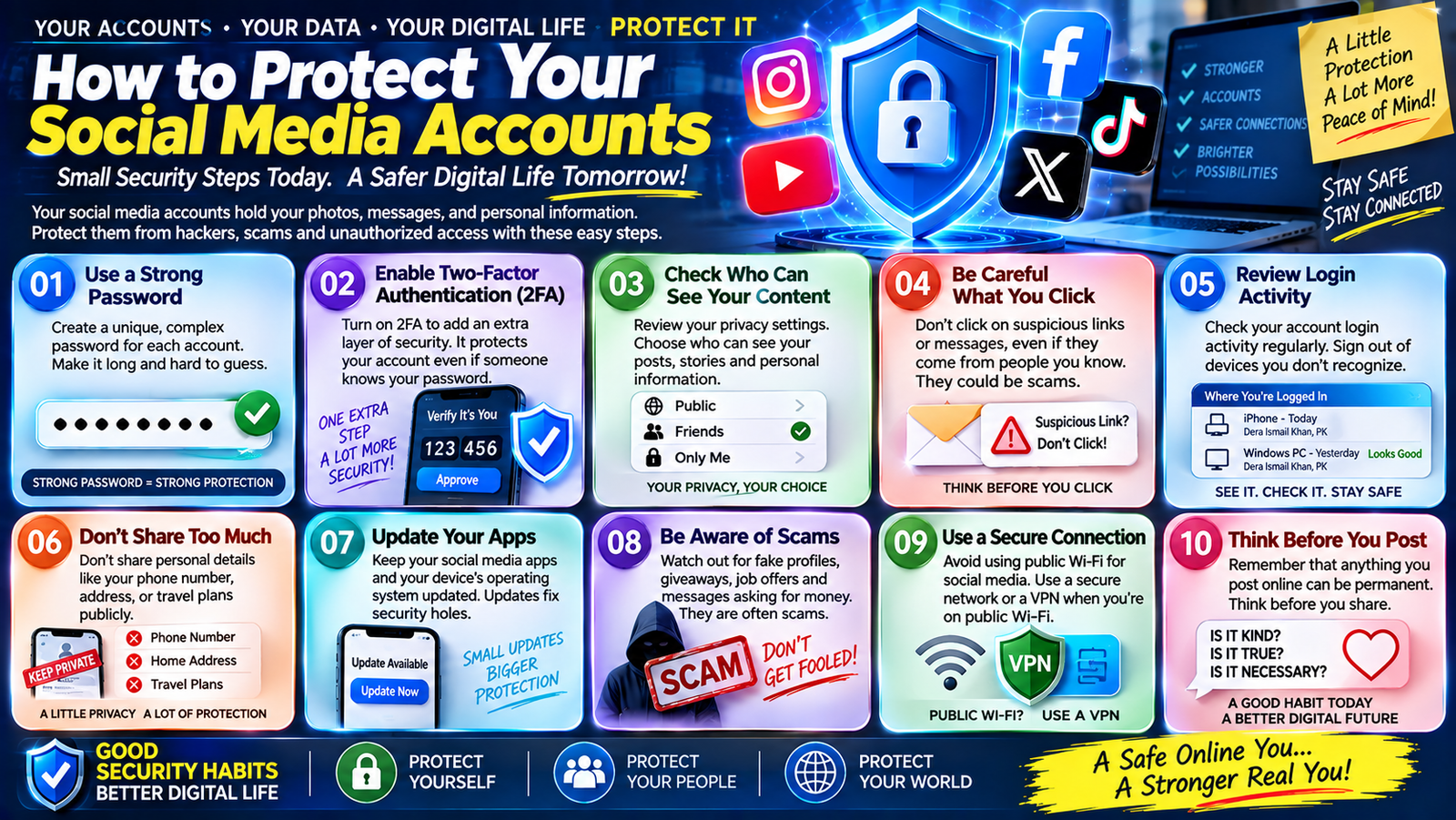
12. Social Media Account Scams
Social media scammers may pretend to be:
- Your friend
- A celebrity
- A brand
- Customer support
- An influencer
- A business partner
They may send links or ask for money.
If a friend’s message suddenly seems unusual, contact them through another channel to confirm it was really them.
A compromised account can be used to scam the person’s contacts.
13. Fake Account Verification Scams
Some scammers send messages such as:
“Verify your account within 24 hours or it will be deleted.”
The message may contain a fake login page.
Social media and email platforms can have legitimate verification procedures, but you should access them through the official app or website.
Don’t blindly follow links from unexpected messages.
14. QR Code Scams
QR codes are convenient, but scammers can use them to redirect people to malicious or fraudulent websites.
A QR code may be placed:
- In an email
- On a poster
- On a fake invoice
- In a message
- On a sticker placed over another QR code
Before scanning an unfamiliar QR code, consider where it came from and where it is supposed to take you.
After scanning, check the destination before entering sensitive information.
The Biggest Scam Warning Signs
Here is a useful quick-reference table:
| Warning Sign | Why It Matters |
|---|---|
| “Act immediately” | Creates pressure |
| “Keep this secret” | Prevents verification |
| Request for password | Sensitive information |
| Request for verification code | Could enable account takeover |
| Guaranteed profit | Often unrealistic |
| Upfront job fee | Common scam pattern |
| Suspicious link | May lead to fake website |
| Unusual payment method | Difficult to recover |
| Threats | Designed to create fear |
| Too-good-to-be-true offer | May be deceptive |
How to Verify a Suspicious Message
If you receive a suspicious message, don’t immediately respond.
Use this process.
Step 1: Stop
Don’t click anything yet.
Step 2: Identify the Claim
What is the person actually saying?
For example:
“Your bank account has been locked.”
Step 3: Ask Whether You Expected the Message
Were you actually expecting a bank notification?
Were you expecting a package?
Did you enter a competition?
Did you apply for the job?
Step 4: Verify Independently
Open the official website or application yourself.
Don’t use the link or phone number from the suspicious message.
Step 5: Check the Details
Look at:
- Sender
- Website address
- Grammar
- Company name
- Payment request
- Contact details
Step 6: Don’t Share Sensitive Information
Never provide passwords or verification codes simply because someone asks.
Don’t Let Urgency Control Your Decision
Scammers often try to make you feel that you have only seconds to respond.
Examples:
- “Your account will close today.”
- “Send the money now.”
- “Your package expires in one hour.”
- “Your friend is in an emergency.”
- “This investment opportunity ends tonight.”
When you feel pressured, slow down.
Legitimate situations can usually be verified through an independent channel.
Taking a few minutes to verify information can prevent a major financial or account-security problem.
Be Careful With Links
Before clicking an unfamiliar link, ask:
- Who sent it?
- Was I expecting it?
- Where does it lead?
- Does the domain look correct?
- Is it asking for sensitive information?
- Is there another way to access the same service?
Even if a website uses HTTPS, that doesn’t automatically mean the website is legitimate.
HTTPS helps protect communication between your browser and the website, but scammers can also operate websites using HTTPS.
The domain and context still matter.
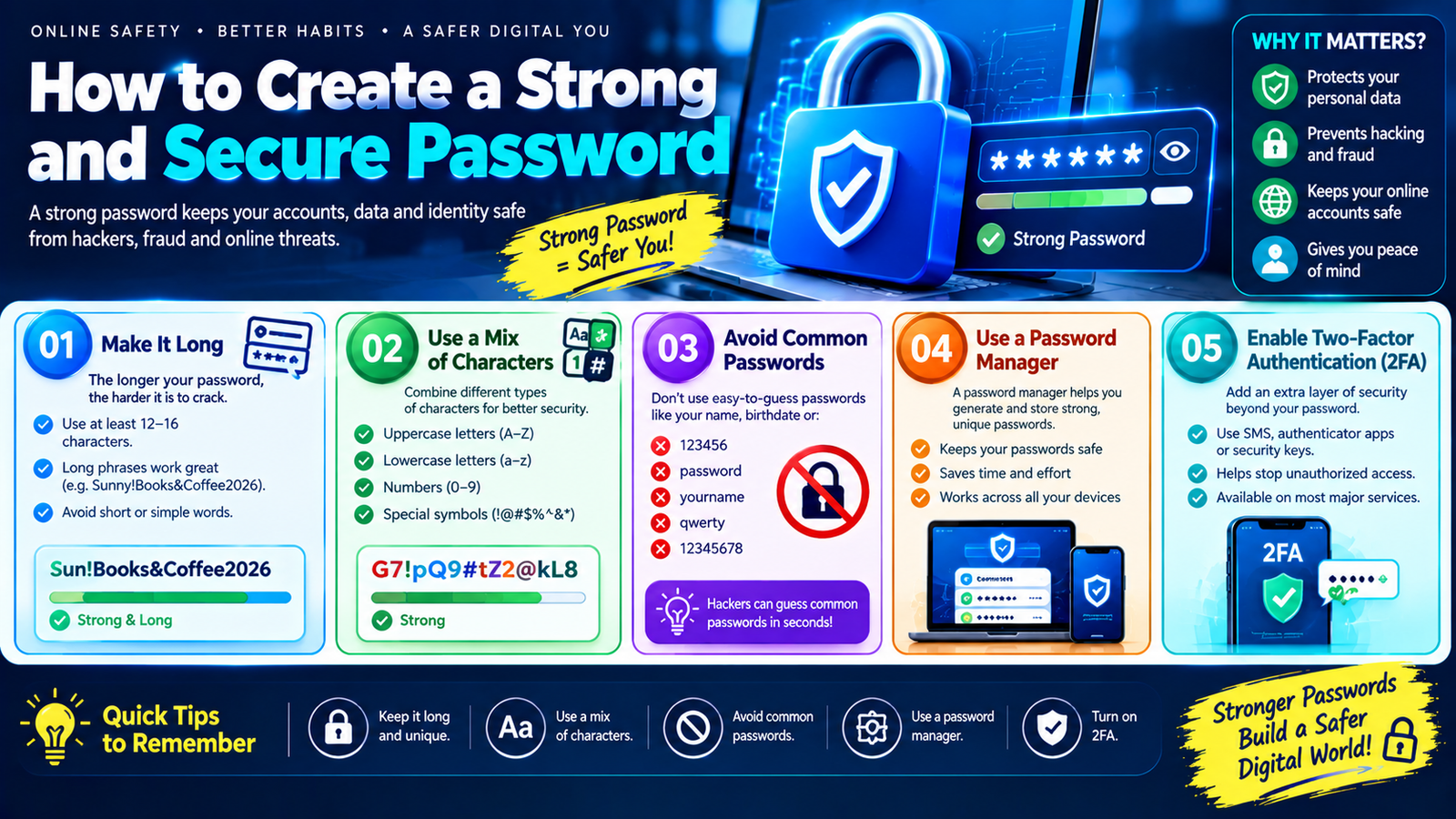
Protect Your Passwords
Scammers frequently attempt to steal passwords through fake login pages.
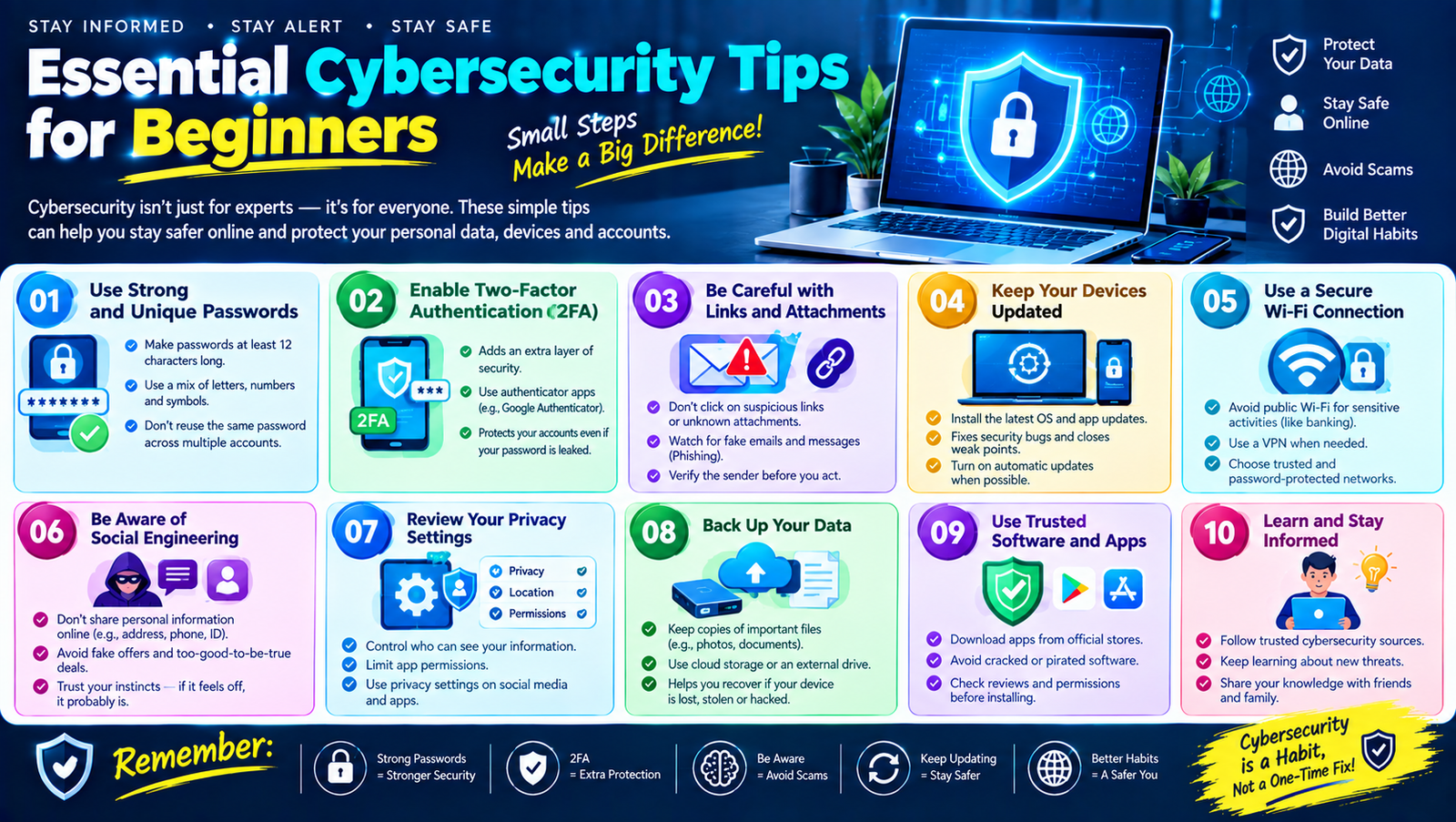
Protect yourself by:
- Using unique passwords
- Using a password manager
- Avoiding password reuse
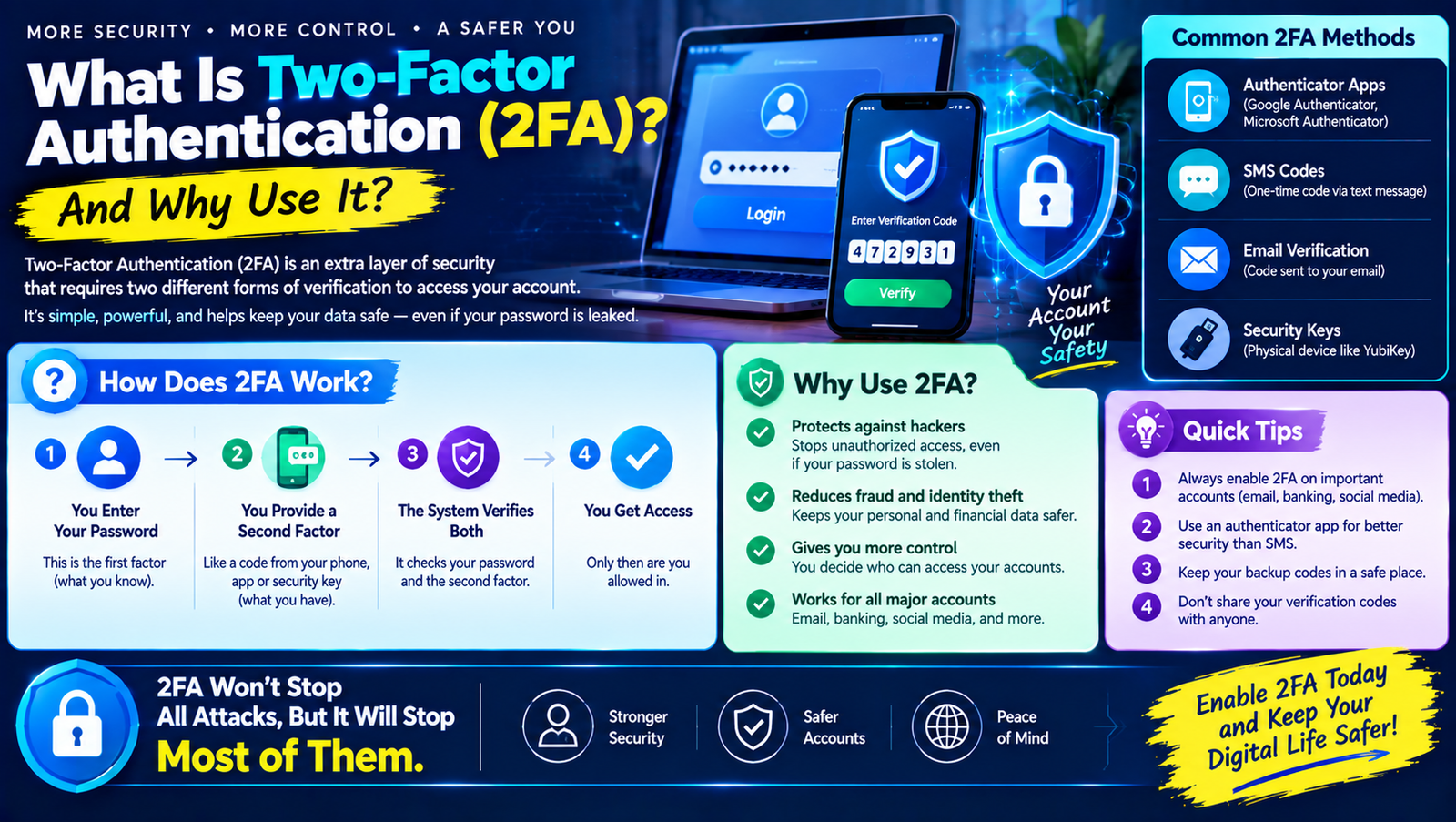
- Enabling 2FA or MFA
- Never sharing passwords
- Checking website addresses carefully
If you accidentally enter your password into a suspicious website, change the password through the legitimate service as soon as possible.
If you reused that password elsewhere, change it there too.
Never Share Verification Codes
A verification code is often intended to confirm that you’re the person logging in.
If someone says:
“I just sent you a code. Please tell me what it is.”
Stop.
They may be attempting to use your account.
Never share login verification codes with unexpected callers, strangers, or suspicious contacts.
Be Careful With Payment Requests
Scammers may request payment through methods that are difficult to reverse or recover.
Be especially careful when someone unexpectedly demands payment through:
- Gift cards
- Cryptocurrency
- Unusual payment services
- Direct transfers
- Other hard-to-reverse methods
Before sending money, independently verify who you’re paying and why.
What to Do If You Have Been Scammed
If you think you’ve already fallen for a scam, don’t panic.
Act quickly.
If You Shared a Password
Change it immediately through the legitimate website.
If the same password was used elsewhere, change it on those accounts too.
If You Shared a Verification Code
Check the account immediately.
Change the password and review active sessions and security settings.
If You Sent Money
Contact your bank, payment provider, or relevant financial service as soon as possible.
Ask what recovery or dispute options may be available.
If You Gave Remote Computer Access
Disconnect the affected device from the internet if appropriate, then seek trusted technical assistance and review the system for unauthorized software or account access.
If You Shared Personal Information
Monitor your accounts and follow relevant identity-protection or reporting procedures available in your country.
Keep records of messages, emails, transaction details, usernames, and other evidence.
How to Teach Family Members About Online Scams
Cybersecurity becomes stronger when everyone in the household understands basic warning signs.
Teach family members:
- Don’t trust unexpected urgent messages.
- Don’t share passwords.
- Don’t share verification codes.
- Don’t send money to online strangers.
- Verify unusual requests.
- Ask for help if something feels suspicious.
- Don’t click unknown links.
- Be careful with online job and investment offers.
Older family members and people who are less familiar with technology may particularly benefit from simple, practical examples.
Online Scam Prevention Checklist
Use this checklist whenever you encounter something suspicious:
- Did I expect this message?
- Is the sender actually who they claim to be?
- Is there unusual urgency?
- Are they asking for money?
- Are they asking for a password?
- Are they asking for a verification code?
- Does the website address look correct?
- Can I verify the claim independently?
- Does the offer seem unrealistically good?
- Am I being pressured not to tell anyone?
- Is there a safer official way to contact the organization?
If several answers raise concerns, stop and verify before taking action.
15 Simple Rules for Avoiding Online Scams
- Slow down when someone creates urgency.
- Never share passwords.
- Never share unexpected verification codes.
- Don’t click suspicious links.
- Verify messages independently.
- Use unique passwords.
- Enable MFA or 2FA.
- Be cautious with online job offers.
- Research unfamiliar businesses before paying.
- Don’t trust guaranteed investment profits.
- Be careful with unexpected prize notifications.
- Don’t give strangers remote access to your computer.
- Use official websites and apps.
- Talk to someone you trust when unsure.
- Report suspicious activity through appropriate official channels.
Frequently Asked Questions
What is the easiest way to recognize an online scam?
Look for pressure, unexpected contact, requests for money or sensitive information, suspicious links, unrealistic promises, and demands for secrecy. When several signs appear together, stop and verify independently.
What is the most common type of online scam?
Phishing is one of the most common forms of online deception. It can appear through email, text messages, social media, websites, and other communication channels.
Can scammers use social media?
Yes. Social media can be used for fake profiles, phishing links, impersonation, investment scams, shopping scams, romance scams, and other types of deception.
Are all online job offers scams?
No. There are many legitimate online jobs. However, be cautious about offers that promise unusually high income for very little work or require upfront payments.
How can I tell if a website is fake?
Check the domain carefully, look for credible company information, research the business independently, and be cautious if the website pressures you to pay or provide sensitive information.
Should I click a link from my bank?
If you receive an unexpected message, it’s safer to open your bank’s official app or website directly rather than relying on the message link.
What should I do if I clicked a scam link?
Don’t enter additional information. If you entered a password, change it through the legitimate service. If you provided financial information, contact the relevant financial institution promptly.
Can scammers steal my account with a verification code?
A verification code can be part of an account-login or recovery process. Never share such codes with someone who contacts you unexpectedly.
Are cryptocurrency investments always scams?
No. Cryptocurrency is a real technology and asset category, but scammers also use cryptocurrency-related offers extensively. Be cautious about guaranteed returns, pressure to invest immediately, and requests to send funds to unknown wallets.
What should I do if a friend asks for money online?
Verify that the request actually came from your friend. Contact them through another communication method before sending money.
Final Thoughts
Learning how to recognize common online scams is one of the most valuable cybersecurity skills for everyday internet users.
You don’t need to identify every scam perfectly. Instead, develop a habit of slowing down whenever something feels unusually urgent, emotional, secretive, or financially attractive.
Don’t assume that a professional logo means a message is legitimate. Don’t assume that a familiar name guarantees that the sender is really that person. Don’t enter your password just because a message tells you that your account is in danger.
Verify information independently.
Use strong, unique passwords and enable two-factor authentication on important accounts. Be careful with links, payment requests, online job offers, investment opportunities, and unexpected messages.
Most importantly, remember that scammers often want you to make a decision quickly.
You can take away their biggest advantage simply by stopping, checking, and thinking before you act.
Good cybersecurity isn’t about being afraid of everything online. It’s about developing smart habits that allow you to use the internet with greater confidence and awareness.

Leave a Reply