

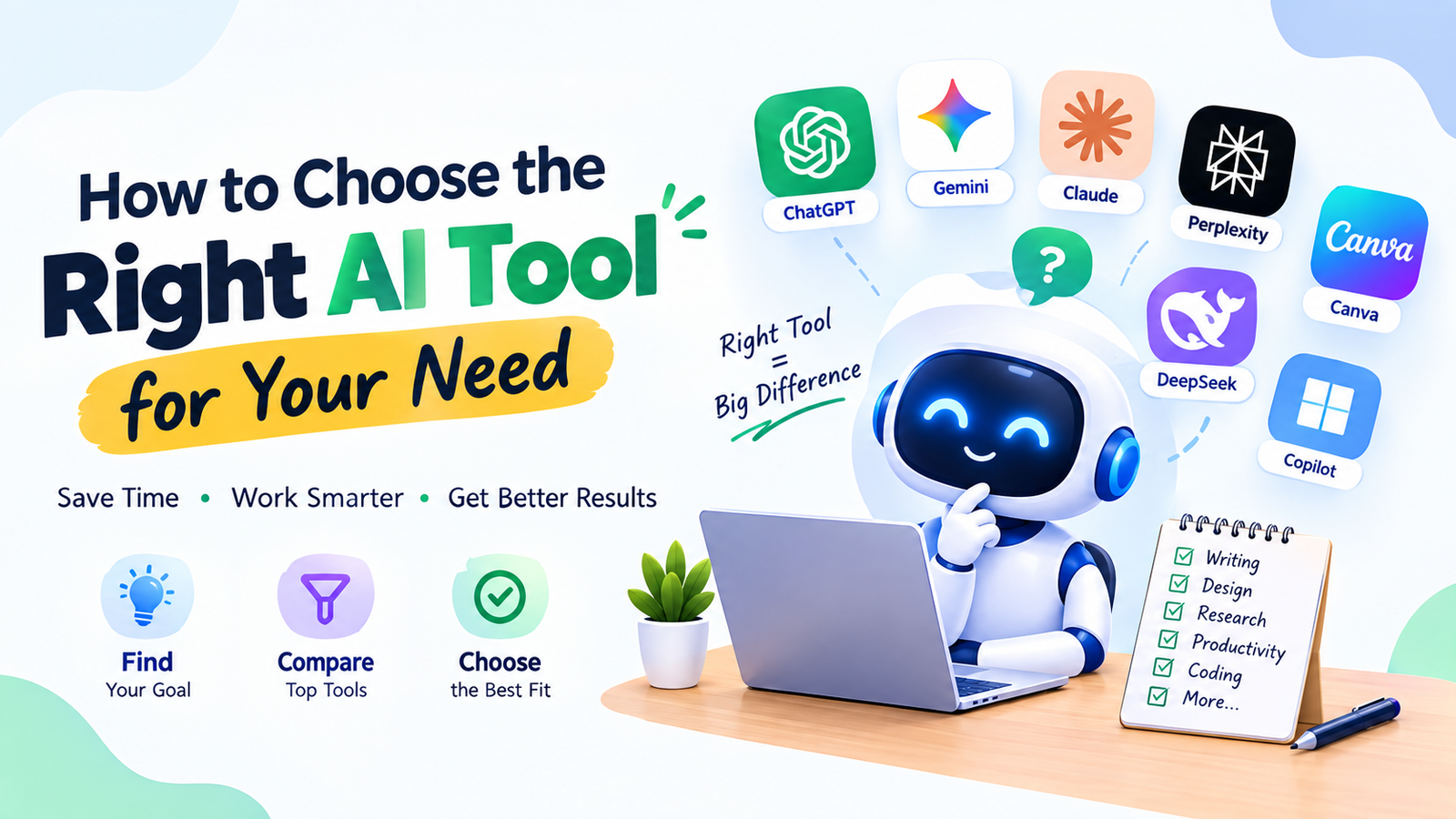
Meta Title: How to Choose the Right AI Tool for Your Needs in 2026
Meta Description: Learn how to choose the right AI tool for your needs in 2026. Compare features, pricing, accuracy, privacy, ease of use, and AI tool categories.
How to Choose the Right AI Toolhow-to-choose-the-right-ai-tool
Introduction
Artificial intelligence has become one of the most useful technologies for everyday digital work. Whether you’re a student, freelancer, blogger, content creator, developer, business owner, or office professional, AI tools can help you complete many tasks faster.
The problem is no longer finding an AI tool.
The real problem is choosing the right one.
There are now AI tools for writing, research, image generation, video creation, coding, productivity, presentations, customer support, data analysis, education, and many other purposes. Some tools are free, while others require a monthly subscription. Some are designed for beginners, while others are built for professional workflows.
With so many choices, it’s easy to waste time signing up for multiple platforms that you rarely use.
The better approach is simple: start with your needs, not with the tool.
In this guide, you’ll learn how to choose the right AI tool for your needs in 2026, what features to compare, how to evaluate free and paid options, and which questions you should ask before trusting an AI application with your work.
Why Choosing the Right AI Tool Matters
Not every AI tool is designed to solve the same problem.
For example, a tool that is excellent at generating images may not be useful for analyzing a spreadsheet. A writing assistant may be great for grammar but less suitable for creating videos.
Choosing an inappropriate tool can lead to:
- Wasted time
- Unnecessary subscriptions
- Poor-quality results
- Confusing workflows
- Security concerns
- Duplicate tools doing the same job
The right tool, on the other hand, can make a specific task simpler and more efficient.
That’s why the first question shouldn’t be:
“Which AI tool is the most popular?”
Instead, ask:
“What do I actually need AI to help me accomplish?”
Step 1: Identify the Problem You Want to Solve
Before searching for an AI tool, clearly define your problem.
Write down the task you want to improve.
For example:
- I need help writing blog posts.
- I want to create images.
- I need to summarize documents.
- I want to practice a language.
- I need help understanding code.
- I want to organize my work.
- I need help creating presentations.
- I want to automate repetitive tasks.
Once the problem is clear, finding the right category becomes much easier.
Example
Suppose you’re a blogger.
You might need AI for:
- Topic brainstorming
- Content outlines
- Writing assistance
- Grammar editing
- Image creation
- SEO research
Instead of searching for one tool that claims to do everything, you can determine which tasks actually require AI assistance.
Step 2: Understand Different AI Tool Categories
AI tools can be divided into several broad categories.
| AI Tool Category | Common Uses |
|---|---|
| AI Chat Assistants | Questions, brainstorming, writing, explanations |
| AI Writing Tools | Articles, grammar, rewriting, editing |
| AI Research Tools | Research, summaries, information discovery |
| AI Image Tools | Images, illustrations, creative visuals |
| AI Video Tools | Video creation, editing, scripts |
| AI Coding Tools | Code generation, debugging, explanations |
| AI Productivity Tools | Planning, notes, organization |
| AI Presentation Tools | Slides, outlines, presentations |
| AI Translation Tools | Translation and language assistance |
| AI Automation Tools | Repetitive workflows and task automation |
You don’t necessarily need a tool from every category.
Choose only the categories that match your actual requirements.
Step 3: Decide How Often You Will Use It
Your usage frequency should influence your decision.
Ask yourself:
“Will I use this AI tool every day, every week, or only occasionally?”
Occasional Users
If you only need AI occasionally, a free plan may be enough.
For example, someone who uses AI once or twice a week for writing emails may not need an expensive subscription.
Frequent Users
If AI is part of your daily workflow, higher usage limits may become more important.
For example, a professional content creator producing multiple pieces of content every day may need more capacity than a casual user.
The goal is to pay for actual value rather than features you don’t use.
Step 4: Check Whether a Free Plan Is Available
Many AI platforms offer some form of free access.
Free plans can be useful for testing a tool before spending money.
When evaluating a free plan, look at:
- Number of daily requests
- Monthly limits
- Available AI models
- File-upload limits
- Image-generation limits
- Export options
- Access to advanced features
- Commercial-use restrictions
A free plan may be more than enough for a beginner.
Don’t Judge a Tool Only by Its Free Features
Some platforms reserve their most advanced features for paid users.
Therefore, if you’re considering a subscription, check exactly what the paid plan adds.
Step 5: Evaluate Output Quality
Features don’t matter if the results aren’t useful.
Before choosing an AI tool, test it with a real task.
For example, if you’re looking for an AI writing tool, give it a paragraph from a real project and ask it to improve clarity.
Then ask:
- Does the output make sense?
- Is it accurate?
- Does it preserve the original meaning?
- Does it sound natural?
- Does it require extensive editing?
Do the same for image, video, coding, or research tools.
Test Before You Commit
A short practical test can tell you more than dozens of marketing claims.
Step 6: Consider Accuracy and Reliability
AI systems can make mistakes.
This is one of the most important things beginners need to understand.
An AI tool may provide an answer that sounds confident but contains incorrect information.
This is sometimes called an AI hallucination.
For low-risk tasks, a small mistake may be easy to fix.
For high-stakes tasks, accuracy becomes much more important.
Be particularly careful with:
- Medical information
- Legal information
- Financial decisions
- Scientific claims
- Statistics
- Current events
- Technical security information
For important matters, verify AI-generated information using reliable sources or qualified professionals where appropriate.
Step 7: Check Privacy and Data Handling
Privacy is an important consideration when selecting an AI tool.
Before uploading information, understand how the service handles user data.
Look for information about:
- Data collection
- Storage
- Retention
- Training usage
- Account security
- Third-party processing
- Data deletion
Never Share Sensitive Information Casually
Avoid putting highly sensitive information into an AI tool unless you have a clear and appropriate reason.
Examples include:
- Passwords
- Banking credentials
- Private identity documents
- Confidential customer information
- Sensitive business information
- Private company documents
If you’re using AI at work, follow your organization’s approved tools and security policies.
Step 8: Consider Ease of Use
A powerful AI tool isn’t automatically the right tool for you.
If you spend more time learning the software than actually benefiting from it, another option may be more practical.
Look for:
- Clear interface
- Simple navigation
- Helpful documentation
- Easy settings
- Good export options
- Understandable controls
Beginners often benefit from starting with straightforward tools and moving to more advanced platforms as their needs grow.
Step 9: Compare Pricing Carefully
AI pricing can vary significantly.
Some platforms are free. Others offer several subscription levels.
Before paying, compare:
| Pricing Factor | Question |
|---|---|
| Monthly price | Can I comfortably justify the cost? |
| Annual price | Is there a meaningful difference? |
| Usage limits | How much AI usage is included? |
| Features | Which features are actually useful to me? |
| Team access | Do I need multiple users? |
| Cancellation | Can I cancel easily if I no longer need it? |
| Free trial | Can I test it before paying? |
Don’t subscribe to several tools simply because they offer impressive feature lists.
One well-suited tool may be more useful than five overlapping subscriptions.
Step 10: Check Integration With Your Existing Tools
AI becomes more useful when it fits naturally into your existing workflow.
For example, if you work primarily with documents, spreadsheets, email, or project-management software, you may benefit from an AI tool that integrates with the applications you already use.
Ask:
- Does it work with my current software?
- Can I import files easily?
- Can I export results?
- Does it support the file formats I use?
- Can it connect with my existing workflow?
The less unnecessary switching between applications, the easier your workflow can become.
Step 11: Think About Your Skill Level
Your experience matters.
Beginners
Beginners may want:
- Simple interfaces
- Clear instructions
- Basic features
- Tutorials
- Free access
- Easy prompts
Intermediate Users
Intermediate users may want:
- More customization
- File analysis
- Integrations
- Better workflow controls
- Higher usage limits
Advanced Users
Advanced users may need:
- APIs
- Automation
- Custom workflows
- Developer tools
- Team management
- Specialized models
Don’t choose an advanced platform simply because it has more features.
Choose the level that matches your actual needs.
Step 12: Decide Whether You Need a Specialized Tool
General-purpose AI tools are flexible, but specialized applications can be useful for specific workflows.
For example, a general AI assistant may help with basic writing, while a specialized editing tool may provide additional grammar and style features.
Similarly, a general AI assistant may create basic images, while a dedicated image-generation platform may offer more specialized creative controls.
Ask Yourself
“Does my task require specialized features?”
If the answer is no, a general-purpose tool may be enough.
If the answer is yes, explore specialized options.
Best AI Tool Based on Different Needs
Rather than naming one universal “best” AI tool, it’s more useful to match tool categories with tasks.
| Your Main Goal | Tool Type to Consider |
|---|---|
| Ask questions | AI chat assistant |
| Write content | AI writing assistant |
| Improve grammar | AI editing tool |
| Research topics | AI research assistant |
| Generate images | AI image generator |
| Create videos | AI video generator/editor |
| Learn coding | AI coding assistant |
| Manage tasks | AI productivity tool |
| Create presentations | AI presentation tool |
| Translate text | AI translation tool |
| Automate workflows | AI automation platform |
This task-first approach can help you avoid choosing a tool simply because it is currently popular.
How to Compare Two AI Tools
Sometimes you’ll find two tools that appear to do the same thing.
Instead of asking which one is “better,” compare them against your requirements.
Create a Comparison Checklist
For example:
Feature 1: Quality
Which tool produces output that meets your needs?
Feature 2: Price
Which pricing structure fits your budget?
Feature 3: Limits
How much can you use each platform?
Feature 4: Privacy
How does each service handle your data?
Feature 5: Ease of Use
Which interface is easier for you?
Feature 6: Workflow
Which one fits your existing process?
This gives you a practical basis for making your own decision.
How to Choose an AI Writing Tool
If writing is your main requirement, consider:
- Quality of generated text
- Editing capabilities
- Grammar assistance
- Tone controls
- Long-form support
- Content organization
- Export options
- Language support
Don’t focus only on how quickly a tool generates text.
A tool that produces usable content with less editing may save more time than one that generates large amounts of text that require extensive rewriting.
How to Choose an AI Image Tool
If your main goal is image generation, look at:
- Image quality
- Prompt understanding
- Resolution
- Editing options
- Generation limits
- Commercial-use terms
- Available styles
- Consistency
Always check the current licensing terms if you intend to use generated images commercially.
How to Choose an AI Coding Tool
Developers should consider:
- Supported programming languages
- IDE integration
- Code explanation
- Debugging assistance
- Context handling
- Testing support
- Security considerations
- Privacy
Never assume generated code is automatically safe.
Review and test it before using it in production.
How to Choose an AI Tool for Students
Students should consider:
- Ease of understanding
- Explanation quality
- Study features
- Free access
- Language support
- Citation or research capabilities
- Academic-use policies
The ideal tool should support learning rather than encourage students to avoid learning.
For assignments and exams, always follow the institution’s rules regarding AI.
How to Choose an AI Tool for Business
Businesses have additional requirements.
They may need to consider:
- Security
- Privacy
- Team access
- Administrative controls
- Integration
- Reliability
- Compliance
- Cost
- Data management
A free consumer tool may not necessarily be appropriate for confidential business information.
Companies should evaluate AI services according to their internal security and compliance requirements.
Red Flags to Watch for When Choosing an AI Tool
Not every AI service deserves your trust.
Be careful with platforms that:
- Make unrealistic promises
- Hide important pricing information
- Provide unclear privacy policies
- Request excessive permissions
- Use misleading claims
- Make it difficult to cancel subscriptions
- Don’t explain how your information is handled
You don’t need to assume that every new AI platform is unsafe, but basic due diligence is sensible.
Don’t Subscribe to Too Many AI Tools
One common mistake is collecting AI subscriptions instead of building useful workflows.
Someone might subscribe to:
- Three writing tools
- Two image generators
- Several chat assistants
- Multiple productivity tools
Then use only one or two regularly.
Before subscribing to another service, ask:
“What problem does this solve that my existing tools cannot?”
If the answer isn’t clear, you may not need another subscription.
Build an AI Toolkit Instead of Collecting Apps
A simple AI toolkit could include:
One General AI Assistant
For brainstorming, explanations, writing, and everyday questions.
One Writing or Editing Tool
For improving professional content.
One Visual Tool
For images or creative work if needed.
One Productivity Tool
For organization and task management if required.
You can expand this toolkit only when a genuine need appears.
How to Test an AI Tool Properly
Give every candidate tool the same test.
For example, if you’re comparing writing tools:
Test 1: Create an outline.
Test 2: Rewrite a paragraph.
Test 3: Summarize a document.
Test 4: Improve grammar.
Test 5: Follow a specific formatting instruction.
Then compare the practical results.
This is more useful than judging tools solely from advertisements or feature lists.
AI Tool Selection Checklist
Before choosing an AI tool, ask yourself these questions:
Purpose
What exact problem am I solving?
Quality
Does the output meet my requirements?
Accuracy
Can I verify important information?
Cost
Do I need a paid plan?
Limits
How much usage do I receive?
Privacy
How is my information handled?
Ease of Use
Can I use the tool comfortably?
Compatibility
Does it work with my existing workflow?
Reliability
Can I depend on it for regular work?
Scalability
Will it still meet my needs if my usage increases?
If you can answer these questions, your decision will be much easier.
Example: Choosing an AI Tool as a Blogger
Imagine you run a technology blog.
You need help with:
- Article ideas
- Outlines
- Writing
- Editing
- Images
- Research
You could start by testing one general-purpose AI assistant for brainstorming and outlining.
Then use an editing tool if grammar or style is a problem.
If visual content becomes important, add an image-generation tool.
There’s no reason to purchase six different applications on day one.
Start small and expand based on actual needs.
Example: Choosing an AI Tool as a Student
Imagine you’re a university student.
Your main needs are:
- Understanding difficult concepts
- Creating revision questions
- Improving writing
- Organizing study time
You could start with a general AI assistant and use it for explanations, practice questions, and planning.
If grammar becomes a major issue, you could consider an editing tool.
The key is to build a workflow around learning rather than simply generating answers.
Example: Choosing an AI Tool as a Freelancer
A freelancer may need:
- Client emails
- Proposals
- Research
- Content ideas
- Project planning
A general AI assistant may handle many of these tasks.
If the freelancer specializes in design, they might additionally need an image-generation or design-focused AI tool.
If they specialize in programming, a coding assistant may be more relevant.
The right toolkit depends on the freelancer’s actual service.
What to Do After Choosing an AI Tool
Choosing a tool is only the beginning.
Spend some time learning how to use it effectively.
Learn Prompting
Understand how to provide:
- Context
- Instructions
- Audience
- Desired format
- Constraints
- Examples
Create Reusable Prompts
If you repeatedly perform the same task, save a useful prompt.
For example:
“Review this article for clarity, repetition, grammar, factual claims that require verification, and missing explanations. Do not change the meaning.”
Reusable prompts can make your workflow faster.
Keep Improving
As you learn what the tool does well and poorly, adjust your workflow.
Frequently Asked Questions
How do I choose the right AI tool?
Start by identifying the exact task you want AI to help with. Then compare tools based on output quality, features, pricing, privacy, ease of use, usage limits, and compatibility with your workflow.
Is there one AI tool that can do everything?
General-purpose AI assistants can perform many tasks, but specialized tools may offer additional capabilities for writing, images, video, coding, research, or productivity.
Should beginners use free AI tools?
Free tools are often a practical starting point because they allow beginners to learn how AI works without immediately paying for a subscription.
When should I pay for an AI tool?
Consider paying when you use the tool regularly and its premium features or higher limits provide a clear benefit that justifies the cost.
How many AI tools do I need?
There is no fixed number. Start with the smallest toolkit that solves your actual problems. Add another tool only when it provides a meaningful capability that your existing tools lack.
Are AI tools accurate?
AI tools can make mistakes. Accuracy varies by task and service, so important information should be verified using reliable sources.
Is it safe to upload documents to AI?
It depends on the service, the document, and its privacy and security practices. Avoid uploading confidential or sensitive information unless the service is appropriate and authorized for that use.
Can AI tools help with SEO?
AI can assist with keyword research, outlines, content organization, titles, meta descriptions, and other SEO tasks. However, useful SEO content still requires accurate information, good search-intent alignment, originality, and human review.
Should I choose the most popular AI tool?
Popularity alone isn’t a sufficient reason to choose an AI tool. The more useful question is whether the tool solves your particular problem effectively.
Final Thoughts
Choosing the right AI tool in 2026 doesn’t require trying every application on the internet.
The simplest strategy is to start with your task and your actual needs.
Determine what you want AI to accomplish, identify the appropriate category, test a few suitable options, and compare their quality, pricing, privacy, limitations, and ease of use.
For beginners, free tools can be a practical starting point. As your needs become more advanced, you can consider specialized applications or paid plans.
Remember that more tools don’t automatically mean more productivity. In many cases, a small collection of well-chosen AI tools can be easier to manage than a large collection of overlapping subscriptions.
Most importantly, don’t let AI make important decisions simply because it sounds confident. Verify important information, protect sensitive data, follow workplace or academic policies, and keep your own judgment involved.
The best AI tool for you isn’t necessarily the newest, most expensive, or most popular application.
It is the tool that solves your specific problem, fits your workflow, provides useful results, and offers enough value to justify using it.
As AI technology continues to develop, your needs may change too. Revisit your AI toolkit from time to time and remove tools that no longer provide meaningful value.
The goal isn’t to use AI everywhere.
The goal is to use the right AI in the right place at the right time.







Leave a Reply