

Meta Title: How to Use ChatGPT for Everyday Tasks: Beginner’s Guide
Meta Description: Learn how to use ChatGPT for everyday tasks including writing, learning, planning, brainstorming, productivity, emails, research, and more.
Focus Keyword: How to Use ChatGPT for Everyday Tasks
: ChatGPT everyday tasks, ChatGPT for beginners, how to use ChatGPT, ChatGPT productivity, ChatGPT tips, ChatGPT use cases
: /how-to-use-chatgpt-for-everyday-tasks/
Introduction
Artificial intelligence has become much easier to use than it was a few years ago. You no longer need programming skills or technical knowledge to benefit from AI. One of the most popular examples is ChatGPT, an AI assistant that can understand natural-language instructions and generate useful responses.
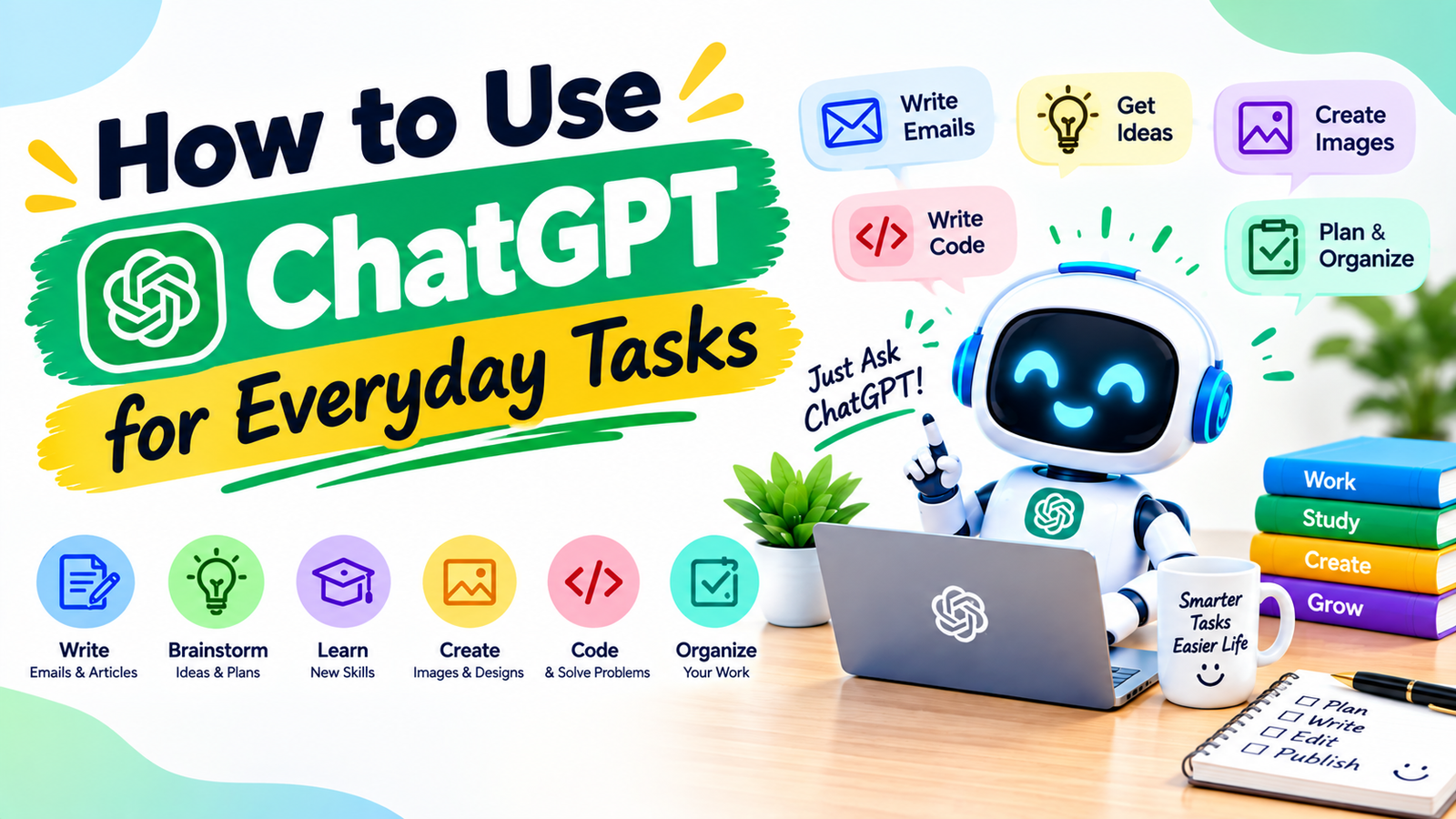
People use ChatGPT for many everyday activities. It can help write an email, explain a difficult topic, create a shopping list, brainstorm ideas, summarize text, organize a schedule, improve writing, practice a language, and assist with many other tasks.
However, getting useful results is not simply about asking random questions. The quality of the response often depends on how clearly you explain what you want.
In this guide, you will learn how to use ChatGPT for everyday tasks, how to write better prompts, where ChatGPT can save time, and what you should keep in mind when using AI-generated information.
What Is ChatGPT?
ChatGPT is an AI-powered conversational assistant developed by OpenAI.
It allows users to communicate with an AI system using natural language. Instead of learning complicated commands, you can simply describe what you want.
For example, you could type:
“Explain how credit cards work in simple English.”
ChatGPT can then provide an explanation designed around your request.
You can also continue the conversation with follow-up questions.
For example:
“Give me a real-world example.”
Then:
“Explain that example like I am a beginner.”
This conversational approach makes ChatGPT useful for a wide range of everyday activities.
Why Use ChatGPT for Everyday Tasks?
The biggest advantage of using ChatGPT is that it can help reduce the time spent on repetitive thinking and writing tasks.
It can help you:
- Generate ideas
- Organize information
- Draft messages
- Learn concepts
- Summarize text
- Improve grammar
- Create checklists
- Plan projects
- Brainstorm content
- Practice conversations
- Write code
- Translate text
- Prepare questions
- Create simple plans
The key is to use ChatGPT as an assistant, not as an unquestionable source of truth.
For important information, you should verify the response independently.
How to Start Using ChatGPT
Getting started is simple.
Step 1: Open ChatGPT
Access ChatGPT through the official ChatGPT service or its supported applications.
Step 2: Write Your Request
Type your question or instruction into the chat box.
For example:
“Give me five healthy breakfast ideas that are quick to prepare.”
Step 3: Review the Answer
Read the response and determine whether it actually meets your needs.
Step 4: Ask a Follow-Up Question
If the response is too general, provide more information.
For example:
“Make the recipes cheaper and use ingredients commonly available at home.”
This follow-up approach can produce a much more useful result.
What Is a ChatGPT Prompt?
A prompt is simply the instruction you give ChatGPT.
It can be a question, command, description, or combination of information.
Basic Prompt
“Write an email.”
This is understandable, but it does not provide much context.
Better Prompt
“Write a short professional email asking my manager to reschedule tomorrow’s meeting because I have another appointment.”
The second prompt gives ChatGPT a specific goal and situation.
Even Better Prompt
“Write a polite, professional email to my manager asking to reschedule tomorrow’s 10 AM meeting. Keep it under 100 words and suggest two alternative times.”
Now the desired result is much clearer.
1. Use ChatGPT for Writing Emails
One of the easiest everyday uses for ChatGPT is writing emails.
You can ask it to draft:
- Professional emails
- Follow-up emails
- Meeting requests
- Customer responses
- Job application messages
- Thank-you emails
- Apology messages
- Reminder emails
For example:
“Write a polite email asking a customer for additional information about their order.”
You can then ask ChatGPT to make the email:
- More professional
- Shorter
- Friendlier
- More direct
- More formal
- More conversational
This can save time when you know what you want to say but struggle to find the right words.
2. Improve Your Grammar and Writing
ChatGPT can also act as a writing assistant.
You can provide your text and ask:
“Correct the grammar but keep my original meaning.”
You can also ask:
“Make this paragraph clearer and easier to understand.”
This is useful for:
- Emails
- Blog posts
- Reports
- Assignments
- Social media posts
- Business messages
- Personal writing
However, when using AI to edit important documents, always review the final version yourself.
3. Use ChatGPT for Learning
ChatGPT can be useful as a learning assistant.
Suppose you are trying to understand a difficult subject.
Instead of simply asking:
“What is machine learning?”
you could ask:
“Explain machine learning to a complete beginner using a simple real-world example.”
Then continue:
“Give me five practice questions.”
Then:
“Check my answers and explain my mistakes.”
This creates an interactive learning process.
4. Create Study Notes
Students can use ChatGPT to organize learning materials.
For example:
“Turn these notes into a simple study guide with headings and bullet points.”
You can also request:
- Flashcards
- Practice questions
- Quizzes
- Definitions
- Summaries
- Topic explanations
A useful workflow is:
Study Material → AI Summary → Practice Questions → Self-Test → Review
The student should still learn the material rather than simply copying AI-generated answers.
5. Summarize Long Text
ChatGPT can help turn lengthy text into a shorter summary.
For example:
“Summarize this article in 10 bullet points.”
You can also specify the audience:
“Summarize this technical document for someone without a technical background.”
Or:
“Extract the main arguments and important conclusions.”
This can be particularly useful when reviewing long documents.
6. Create To-Do Lists
If you have many tasks in your head, ChatGPT can help organize them.
For example:
“I need to clean my room, finish a report, reply to three emails, buy groceries, and exercise. Turn these into a realistic checklist.”
You can then ask:
“Arrange these tasks by priority.”
Or:
“Create a schedule for completing them today.”
This turns an unorganized list into a more manageable plan.
7. Plan Your Day
ChatGPT can help structure a daily routine.
For example:
“Create a simple workday schedule from 9 AM to 5 PM. Include focused work sessions, lunch, short breaks, and time for checking email.”
You can add your own requirements.
For example:
“I have a meeting at 11 AM and another one at 3 PM.”
The more relevant information you provide, the more useful the suggested schedule can become.
8. Brainstorm Ideas
Sometimes the hardest part of a project is coming up with ideas.
ChatGPT can help brainstorm:
- Blog topics
- Business ideas
- YouTube topics
- Social media content
- Product names
- Newsletter ideas
- Marketing campaigns
- Presentation topics
- Story ideas
Instead of asking for one idea, ask for several options with different approaches.
For example:
“Give me 20 blog topic ideas about beginner-friendly technology. Avoid generic topics and focus on practical problems.”
You can then choose the ideas that fit your audience.
9. Use ChatGPT for Content Planning
If you manage a blog or social media account, ChatGPT can help build a content plan.
For example:
“Create a 30-day content calendar for a technology blog focused on AI tools and productivity.”
You can then ask it to organize the ideas into categories.
For example:
| Day | Content Type | Topic |
|---|---|---|
| 1 | Educational | What Is Generative AI? |
| 2 | Tutorial | How to Write Better AI Prompts |
| 3 | List | Useful AI Tools for Beginners |
| 4 | Tips | Ways to Save Time With AI |
| 5 | FAQ | Common AI Questions |
The final topics should be reviewed for relevance, originality, and current accuracy.
10. Practice a New Language
ChatGPT can also be used for language practice.
For example:
“Help me practice English conversation. Ask me one question at a time and correct my grammar after each answer.”
You can choose a scenario such as:
- Job interview
- Restaurant conversation
- Airport
- Business meeting
- Casual conversation
- Customer service
This allows you to practice without needing a conversation partner at every moment.
11. Translate and Simplify Text
ChatGPT can help translate text between languages.
You can also request a particular style.
For example:
“Translate this into simple English.”
Or:
“Translate this into natural conversational Urdu.”
For important legal, medical, or official documents, professional translation may still be appropriate because subtle wording can matter.
12. Create Shopping Lists
ChatGPT can help organize a shopping list based on your needs.
For example:
“Create a grocery list for five simple dinners for two people. Organize it by vegetables, proteins, grains, and other items.”
You can then ask it to:
- Remove expensive ingredients
- Suggest alternatives
- Reduce food waste
- Make the meals simpler
- Create a weekly plan
Always consider your own dietary requirements and verify product or nutrition information where necessary.
13. Plan Simple Meals
ChatGPT can help generate meal ideas based on ingredients you already have.
For example:
“I have eggs, potatoes, onions, tomatoes, rice, and chicken. Suggest five simple meal ideas.”
You can also specify cooking time:
“Give me three meals that can be prepared in under 30 minutes.”
For health-related diets or medical conditions, rely on qualified professionals rather than treating AI-generated meal suggestions as medical advice.
14. Prepare for a Job Interview
ChatGPT can act as an interview practice partner.
You can ask:
“Act as an interviewer for a beginner digital marketing position. Ask me one question at a time.”
After answering, you can ask:
“Evaluate my answer and suggest how I can make it clearer.”
It can also help prepare:
- Common interview questions
- Practice answers
- Questions to ask the interviewer
- Resume wording
- Cover-letter drafts
The best results come when you combine AI practice with knowledge about the actual company and job.
15. Improve Your Resume
You can provide your existing resume and ask ChatGPT to improve its wording.
For example:
“Rewrite these bullet points to make my work experience clearer and more results-focused. Do not invent achievements.”
That last instruction is important.
AI should not create qualifications, jobs, certifications, or achievements that you do not actually have.
16. Use ChatGPT for Coding Help
ChatGPT can also assist with programming.
Beginners can ask:
“Explain what this Python code does line by line.”
Developers can ask for help with:
- Debugging
- Code explanations
- Documentation
- Test cases
- Refactoring ideas
- Learning programming concepts
However, generated code should be reviewed, tested, and checked for security issues before being used in real applications.
17. Organize Meeting Notes
If you have meeting notes, ChatGPT can help organize them.
For example:
“Turn these notes into a structured meeting summary with decisions, action items, and deadlines.”
A useful format might include:
Key Decisions
Important decisions made during the meeting.
Action Items
Tasks assigned to specific people.
Deadlines
Important dates and milestones.
This can make follow-up work easier.
Be careful when handling confidential company or personal information and follow your organization’s privacy rules.
18. Create Checklists
Checklists are another simple but useful application.
You can ask ChatGPT to create:
- Travel checklists
- Moving checklists
- Project checklists
- Study checklists
- Event-planning checklists
- Website-launch checklists
For example:
“Create a checklist for launching a small business website.”
You can then ask it to organize the list into:
Before Launch → Launch Day → After Launch
19. Plan a Trip
ChatGPT can help brainstorm travel plans.
For example:
“Create a three-day travel itinerary for a first-time visitor. Include sightseeing, food breaks, and reasonable travel time.”
For current information such as opening hours, transportation schedules, ticket prices, or visa rules, verify details with current official sources.
AI can help structure the trip, but current travel information should be checked before making bookings.
20. Generate Social Media Ideas
Social media creators can use ChatGPT to brainstorm content.
For example:
“Give me 30 short video ideas for a technology page focused on AI tips for beginners.”
You can also request:
- Hooks
- Captions
- Video scripts
- Content calendars
- Questions for audiences
- Educational post ideas
The best content should still reflect your own experience and audience rather than becoming generic AI-generated material.
How to Get Better Results From ChatGPT
The most useful ChatGPT skill is learning how to communicate your goal clearly.
Give Context
Instead of:
“Write a post.”
Try:
“Write a short Facebook post for beginners interested in learning AI tools. Keep it friendly and educational.”
Specify Length
Tell ChatGPT whether you want:
- 50 words
- 300 words
- 1,000 words
- A short answer
- A detailed explanation
Specify the Audience
For example:
“Explain this to a complete beginner.”
Specify the Format
You can ask for:
- Bullet points
- Table
- Step-by-step guide
- Article
- Checklist
- Script
Ask for Revision
Your first prompt does not have to be perfect.
You can say:
“Make it shorter.”
Then:
“Make it more natural.”
Then:
“Use simpler language.”
This conversational editing process is one of the most useful ways to work with ChatGPT.
Common Mistakes Beginners Make
Mistake 1: Being Too Vague
A vague prompt often leads to a generic response.
Mistake 2: Trusting Everything
AI can make mistakes. Verify important information.
Mistake 3: Giving Sensitive Information
Do not unnecessarily provide passwords, financial credentials, confidential documents, or other sensitive information.
Mistake 4: Publishing Without Editing
AI-generated content may need fact-checking, personalization, and editing.
Mistake 5: Asking One Huge Question
Large projects are often easier when divided into smaller steps.
A Simple ChatGPT Workflow for Everyday Life
You can use this five-step workflow for many tasks:
1. Explain the Goal
Tell ChatGPT what you are trying to accomplish.
2. Provide Context
Give relevant information.
3. Specify the Format
Tell it how you want the response organized.
4. Review the Result
Check whether the answer is useful and accurate.
5. Refine It
Ask follow-up questions until the result matches your needs.
This simple method can make ChatGPT much more useful.
25 Everyday ChatGPT Prompt Ideas
Here are some prompts beginners can try:
- “Explain this topic in simple language.”
- “Summarize this text in five bullet points.”
- “Rewrite this email professionally.”
- “Make this paragraph easier to understand.”
- “Create a checklist for this task.”
- “Give me 20 ideas for this project.”
- “Create a simple daily schedule.”
- “Help me practice an interview.”
- “Correct the grammar in this text.”
- “Turn these notes into a structured outline.”
- “Create five quiz questions about this topic.”
- “Explain this code line by line.”
- “Give me alternative ways to say this.”
- “Create a weekly study plan.”
- “Help me organize these tasks by priority.”
- “Suggest simple meal ideas using these ingredients.”
- “Create a packing checklist.”
- “Help me brainstorm blog topics.”
- “Create a social media content calendar.”
- “Explain the advantages and disadvantages of this option.”
- “Turn this information into a table.”
- “Give me beginner-friendly examples.”
- “Ask me questions to help me think through this problem.”
- “Review this writing for clarity.”
- “Give me a step-by-step plan for this project.”
Frequently Asked Questions
Is ChatGPT easy for beginners?
Yes. You can interact with ChatGPT using normal conversational language. You do not need programming knowledge for basic tasks.
What can I use ChatGPT for?
You can use it for writing, learning, brainstorming, summarizing, planning, language practice, coding assistance, content creation, organization, and many other tasks.
How do I get better answers from ChatGPT?
Provide clear instructions, relevant context, the desired format, and the intended audience. You can also refine the answer through follow-up prompts.
Can ChatGPT write emails?
Yes. It can create and improve many types of email drafts. You should review the final message before sending it.
Can ChatGPT summarize documents?
Yes, when the relevant content is provided through a supported input method. It can summarize information, extract key points, and organize notes.
Can ChatGPT help students?
Yes. It can explain concepts, create practice questions, organize notes, and support study planning. Students should use it as a learning aid rather than simply copying answers.
Can ChatGPT make mistakes?
Yes. AI-generated responses can contain inaccurate or outdated information. Important claims should be independently verified.
Should I share private information with ChatGPT?
Avoid unnecessarily sharing passwords, financial credentials, highly sensitive personal information, or confidential business material. Consider the privacy settings and policies of the service you are using.
Final Thoughts
ChatGPT can become a useful everyday assistant when you know how to communicate with it effectively.
You can use it to write emails, improve grammar, summarize information, learn new subjects, create checklists, organize your day, brainstorm ideas, practice interviews, plan content, and much more.
The most important lesson is simple:
Don’t just ask ChatGPT questions. Give it context and clear instructions.
A good workflow looks like this:
Goal → Context → Clear Prompt → AI Response → Human Review → Final Result
The human review step matters. ChatGPT can save time and provide useful ideas, but it should not replace your judgment, expertise, or verification of important information.
Start with small everyday tasks. Experiment with different prompts, learn what works for you, and gradually build AI into the parts of your routine where it genuinely saves time and improves your productivity.







Leave a Reply